One of the most common questions businesses ask when planning a new website is simple:
How much does, or should, a website cost?
When it comes to Website Quotes, it is not unusual to receive one quote for $1,000 and another for $15,000 for what appears to be the same list of pages. For many business owners, that price gap can be confusing.
In reality, the difference rarely comes down to visual design alone. The true variation usually reflects the strategy, infrastructure, functionality, and long-term growth potential built into the website.
A website is more than a design project. It is a business asset that supports marketing, lead generation, customer trust, and digital visibility.
Understanding the factors that influence website design costs helps businesses evaluate quotes more effectively and invest in a solution that supports long-term growth.
The Main Factors That Influence Website Design Costs
Several core elements determine how much a website costs to design and build.
The most common factors include:
- the number of pages and site architecture
- custom design vs template design
- website functionality and integrations
- e-commerce capability
- content creation and copywriting
- search engine optimisation (SEO)
- hosting, maintenance, and security
Each of these elements contributes to the overall complexity of the project and helps explain why website quotes can vary significantly between providers.
Page Count and Site Architecture
One of the biggest factors influencing website design costs is the size and structure of the website.
A simple landing page requires far less work than a large multi-page website with detailed navigation, resources, and service pages. In fact the truth behind this is more the number of page templates than the number of pages themselves.
Most websites fall into a few common categories.
One-Page Website
A single scrolling page designed for a specific campaign or service.
These sites are typically used for:
- marketing campaigns
- product launches
- lead generation funnels
Because the structure is simple, this type of project generally sits at the lower end of website pricing.
Standard Brochure Website (5–10 Pages)
This is the most common website type for small to medium businesses.
Typical pages include:
- Home
- About
- Services
- Contact
- Blog or insights
Even when page layouts appear similar, each page requires formatting, mobile responsiveness testing, and optimisation.
Large Website (20+ Pages)
Larger organisations often require deeper information architecture, multiple service categories, resource sections, and additional landing pages.
As the number of pages increases, the time required for development, quality assurance, and testing also increases.
In many cases, businesses launch with a streamlined website and expand over time as new content and marketing opportunities emerge.
Custom Design vs Template Websites
Another important factor influencing website design cost is whether the site uses a template design or a fully custom design.
Templates reduce initial development time because much of the underlying structure already exists. This makes them a more affordable option for some businesses.
However, templates often limit flexibility and branding opportunities.
Custom websites involve two key design disciplines.
User Experience (UX) focuses on how the website works and how visitors move through the site.
User Interface (UI) focuses on the visual appearance of the website and how the brand is presented.
Custom design requires more planning, design, and development work. However, it usually produces stronger long-term results because the website structure is tailored to the business and its customers.
Templates can work well for:
- start-ups
- small businesses with limited budgets
- short-term marketing campaigns
Custom design is often the better option when:
- the website is a primary sales channel
- strong brand identity is important
- the business plans to invest in SEO and digital marketing
Website Functionality and Technical Complexity
Website functionality plays a major role in determining cost.
A basic informational website that simply displays business details requires far less development than a website with advanced functionality.
Most modern websites include a Content Management System (CMS) so business owners can update content without developer assistance.
Common CMS platforms include:
- WordPress
- Shopify
- Webflow
- headless CMS platforms
The more advanced the functionality, the more development time is required.
Examples of features that increase complexity include:
- secure member logins
- booking systems
- marketing automation integrations
- custom dashboards
- advanced search functionality
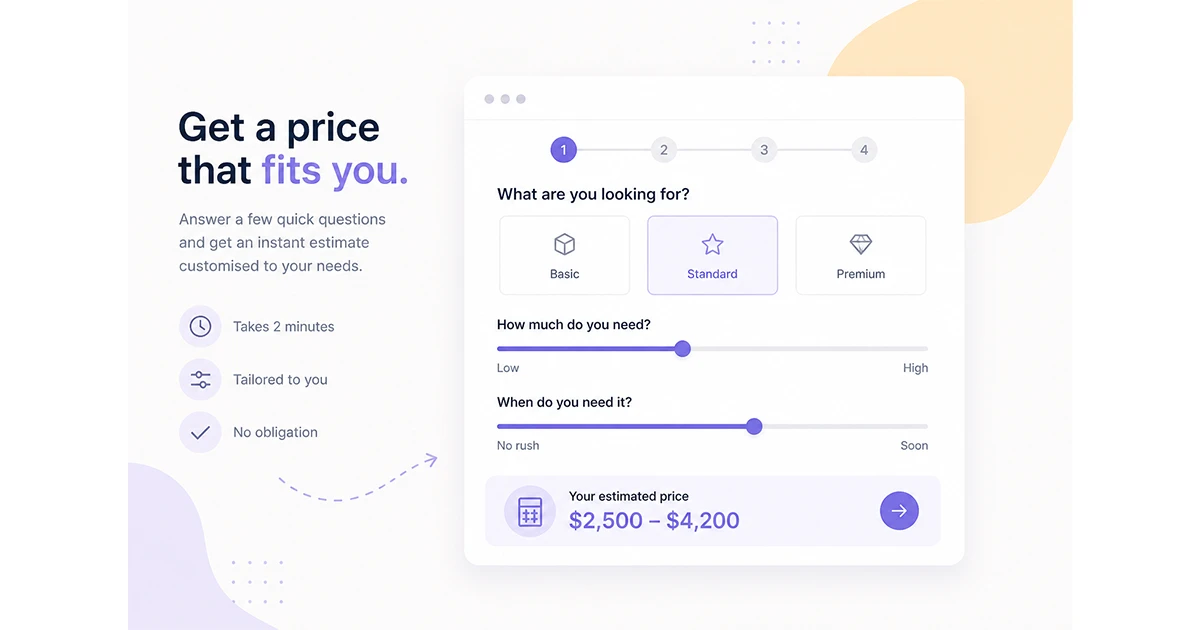
Interactive features such as calculators, configurators, and dynamic animations also require additional coding and testing.
E-commerce Features and Online Payments
E-commerce websites typically cost more to build because they involve more complex systems.
Online stores must handle sensitive financial information, manage product inventories, and integrate with payment gateways.
Common e-commerce features include:
- product catalogues
- payment gateway integration
- inventory management
- shipping integrations
- customer accounts
- promotional and marketing tools
Because these systems process financial transactions, they require stronger security and additional testing.
Content Creation and Copywriting
Content is one of the most frequently underestimated aspects of website projects.
Designers build the visual structure of a website, but the messaging that communicates value to customers usually requires professional copywriting.
Effective website content includes:
- service page messaging
- clear value propositions
- customer pain points and solutions
- strong calls to action
- SEO-optimised text
Without strong messaging, even a well-designed website may struggle to generate enquiries.
Another hidden cost in many website projects is content migration.
Transferring blog articles, product listings, or service pages from an existing website into a new structure can require significant time and effort.
Search Engine Optimisation (SEO)
Search Engine Optimisation is another factor that can influence website design costs.
SEO ensures that a website is structured in a way that helps search engines understand and rank the content.
Key SEO considerations during website development include:
- keyword research
- page structure and headings
- internal linking
- page speed optimisation
- mobile performance
- metadata and indexing
Incorporating SEO during development is usually far more effective than attempting to add it later.
SEO acts as the digital road signage that helps customers find your business online.
Hosting, Maintenance, Security and Compliance
A website should not be viewed as a one-time purchase.
Just like a physical building requires maintenance, a website requires ongoing infrastructure to remain secure, compliant, and operational. As automated attacks, AI-driven bots, and online fraud increase, website security and compliance have become far more important for businesses operating online.
Typical ongoing website costs include hosting, security monitoring, software updates, and compliance management.
Hosting
Hosting is the server infrastructure where your website files are stored. Reliable hosting ensures the website loads quickly, remains accessible, and performs consistently for visitors.
Higher quality hosting environments often include:
- performance optimisation
- server-level security hardening
- automated backups
- uptime monitoring
The quality of hosting can have a direct impact on both user experience and search engine performance.
Domain Name
The domain name is the website’s address (for example, yourbusiness.co.nz). Domains must be renewed annually to maintain ownership and keep the website accessible.
While domain costs are relatively small, managing them correctly is important for long-term control of your digital assets.
SSL Certificates (Secure Socket Layer)
An SSL certificate encrypts data transferred between the visitor’s browser and the website server.
This encryption protects sensitive information such as:
- contact form submissions
- login credentials
- customer details
- payment information
Websites with SSL display the padlock icon in the browser address bar and use the https:// protocol.
Modern search engines treat SSL as a basic security requirement, and most browsers now warn users when visiting websites without encryption.
Because of this, SSL certificates are now considered a standard component of any professional website setup.
For websites that process payments or collect sensitive information, SSL is also an important part of meeting broader security standards such as PCI DSS and other data protection frameworks.
Website Security and Protection
Modern websites face a constant stream of automated attacks from bots attempting to exploit vulnerabilities. Because of this, website security has become a critical part of ongoing website management.
Common website security measures include:
- Web Application Firewalls (WAF) that filter malicious traffic before it reaches the website
- Cloudflare protection to block attacks and improve global website performance
- malware scanning and removal
- login protection and bot mitigation
- regular vulnerability monitoring
A Web Application Firewall helps block malicious requests such as brute-force login attempts, exploit scans, and malicious scripts before they can reach the website server.
Platforms like Cloudflare also provide additional protection by sitting between visitors and the website, helping prevent distributed denial-of-service (DDoS) attacks and other automated threats.
Software Updates and Vulnerability Management
Most websites rely on software platforms such as WordPress, e-commerce systems, plugins, or custom frameworks.
These systems must be updated regularly to maintain compatibility, improve performance, and close newly discovered security vulnerabilities.
Ongoing maintenance typically includes:
- CMS updates
- plugin and extension updates
- security patching
- compatibility testing
Without regular updates, websites can become vulnerable to automated attacks targeting outdated software.
Compliance and Data Protection
For many organisations, website security is closely linked with data protection and compliance requirements.
Businesses that process customer data, payments, or sensitive information may need to align with recognised security and privacy frameworks.
Common standards and frameworks include:
- SOC 2 – a widely recognised framework for managing customer data securely
- PCI DSS – the security standard for organisations processing credit card payments
- ISO 27001 – international information security management standards
- Essential Eight, NIST CSF, and other cybersecurity frameworks
While not every business requires full certification, many organisations must demonstrate that their systems follow industry-recognised security practices.
Websites that process payments or store personal information must be built and maintained with these security considerations in mind.
Privacy, Consent and Regulatory Compliance
Modern websites must also consider privacy regulations and data collection transparency.
When websites collect personal information through forms, analytics, or marketing tools, businesses must ensure that visitors understand how their data will be used.
This often includes:
- cookie consent mechanisms
- privacy policy disclosure
- transparency around tracking technologies
- consent management for analytics and marketing platforms
These measures help ensure compliance with international privacy regulations and maintain trust with website visitors.
Backups and Monitoring
Regular backups and monitoring help protect against unexpected issues such as:
- hacking attempts
- server failures
- accidental content deletion
- malware infections
Automated backups ensure that websites can be restored quickly if problems occur.
Monitoring systems also detect unusual activity early, allowing issues to be resolved before they impact visitors.
The Importance of Ongoing Website Infrastructure
Because of the increasing importance of website security, privacy, and compliance, maintaining a website now involves far more than simply keeping it online.
Modern websites require a combination of:
- reliable hosting infrastructure
- security protection and monitoring
- software maintenance
- compliance awareness
Depending on the level of protection and hosting quality required, these ongoing costs typically range from $20 to $500+ per month, though higher-security environments may require additional investment.
Investing in strong hosting, security, and compliance measures helps ensure that websites remain fast, secure, and trustworthy for customers over the long term.
Typical Website Cost Ranges in New Zealand
While website costs vary significantly depending on the factors outlined above, typical price ranges in New Zealand often fall within the following categories.
Basic Website
$1,500 – $4,000
Typically includes:
- template design
- basic pages
- contact forms
- simple hosting setup
Small Business Website
$4,000 – $10,000
Usually includes:
- custom page layouts
- CMS integration
- mobile optimisation
- basic SEO foundations
- analytics setup
Strategy-Focused Website
$10,000 – $25,000+
These projects often include:
- strategic planning workshops
- custom UX and UI design
- SEO planning
- marketing integrations
- analytics dashboards
E-commerce Website
$8,000 – $50,000+
Pricing depends heavily on the number of products, integrations, and automation requirements.
Cheap Websites vs Strategic Websites
Many businesses focus on minimising website costs upfront.
However, very low-cost websites often lead to challenges such as:
- limited scalability
- weak search visibility
- outdated design
- slow performance
- difficulty updating content
In many cases, businesses end up rebuilding these websites within a few years.
A more sustainable approach is to build a website that can evolve over time
Growth-Driven Design and Continuous Improvement
Traditional website projects often follow a “build and forget” approach. The website launches and remains unchanged for several years.
Growth-Driven Design takes a different approach.
Instead of attempting to build the perfect website in one large project, the focus is on launching a strong foundation and improving it continuously using real user data.
This process typically involves:
- developing a strategic website structure
- launching an initial high-quality website
- analysing visitor behaviour and performance data
- improving pages and user experience over time
- expanding content to attract more search traffic
This continuous improvement approach allows websites to evolve alongside the business and market conditions.
The Gain Line Approach to Website Growth
The concept of gaining ground consistently is often more effective than trying to achieve everything in a single step.
Applying this thinking to digital growth means focusing on steady improvements rather than one large launch.
Key improvements may include:
- refining key service pages
- improving conversion pathways
- expanding SEO content
- improving page speed and user experience
Over time, these improvements help the website generate more enquiries and deliver greater long-term value.
Final Thoughts
The cost of designing a website depends on many factors, including site size, design complexity, functionality, content requirements, SEO integration, and ongoing infrastructure.
Understanding these factors helps businesses evaluate website quotes more effectively and make informed investment decisions.
Rather than focusing solely on the initial price, businesses should consider how the website will support long-term growth, visibility, and customer engagement.
A well-planned website can become a long-term digital asset that supports marketing, lead generation, and business development for years to come.
Why do website design costs vary so much?
Website design costs vary because different projects require different levels of complexity, strategy, and functionality. Factors such as the number of pages, custom design requirements, integrations, content creation, search engine optimisation, and ongoing security infrastructure all influence the final price.
Some websites are simple informational pages, while others act as full digital platforms that support marketing, lead generation, and online sales.
What is the biggest factor influencing website cost?
The overall complexity of the website is usually the biggest factor.
This includes:
the number of pages
the level of custom design required
advanced functionality or integrations
e-commerce capabilities
content creation and SEO requirements
The more functionality and strategic planning required, the more time and expertise are needed to build the website.
Does custom design increase website costs?
Yes. Custom design typically increases the cost of a website because it involves more planning, design, and development work.
Custom websites require dedicated User Experience (UX) and User Interface (UI) design to ensure the website is structured effectively for visitors and aligned with the brand.
While templates can reduce initial costs, custom design often produces better long-term results when a website plays an important role in marketing and lead generation.
Why does e-commerce increase website development costs?
E-commerce websites require additional systems and security measures compared with informational websites.
Online stores must manage:
product catalogues
inventory systems
payment gateways
shipping integrations
customer accounts
transaction security
Because these systems handle financial transactions, they require additional development, testing, and security protection.
Do website security and compliance affect website costs?
Yes. Website security and compliance requirements can significantly influence website development and maintenance costs.
Modern websites often require protection measures such as:
Web Application Firewalls (WAF)
Cloudflare protection
malware scanning and monitoring
secure hosting environments
SSL encryption
Businesses that process payments or handle sensitive customer data may also need to align with recognised frameworks such as PCI DSS, SOC 2, or ISO 27001 security standards.
These measures help ensure websites remain secure and trustworthy for visitors.
Why is SEO included in website design costs?
Search Engine Optimisation (SEO) helps ensure a website can be discovered by potential customers through search engines.
SEO is most effective when incorporated during the website design process, because it influences:
page structure
site architecture
internal linking
metadata
page speed and mobile performance
Adding SEO during development helps build a stronger foundation for long-term search visibility.
What ongoing costs should businesses expect after launching a website?
After launch, most websites require ongoing infrastructure and maintenance costs.
Typical expenses include:
hosting
domain renewal
SSL certificates
software updates
backups and monitoring
security protection and WAF services
Depending on the hosting environment and security requirements, these costs typically range from $20 to $500+ per month.
How often should a website be updated?
Websites should be updated regularly to maintain performance, security, and relevance.
Updates may include:
software and security updates
content improvements
SEO enhancements
performance optimisation
design improvements based on user behaviour
Continuous improvements help ensure the website remains effective as technology, search engines, and customer expectations evolve.