
Warning: Undefined array key "url" in /container/application/public/back9/b9/wp-content/plugins/seo-by-rank-math/includes/modules/schema/snippets/class-author.php on line 41

Beyond Tracking: Exploring the Security Benefits of Google Tag Gateway and Cloudflare

When discussing the Google Tag Gateway, the focus is often on marketing accuracy. However, the real value for many website owners is the underlying security. By partnering with Cloudflare,, Google has simplified how data moves from a visitor’s browser to your analytics tools. It isn’t a drastic overhaul, but rather a more professional way to manage your site’s digital footprint.

This collaboration allows you to use your existing Cloudflare infrastructure to create a secure path for your data. It’s a logical step for those who want better privacy and a leaner website without the stress of managing complex server environments.

The Benefits of a First-Party Connection

The most significant shift here is moving toward “first-party” data collection. Usually, websites rely on “third-party” scripts that talk directly to external servers. This creates a cluttered network of connections that can sometimes be exploited.

  • Reducing Security Touchpoints
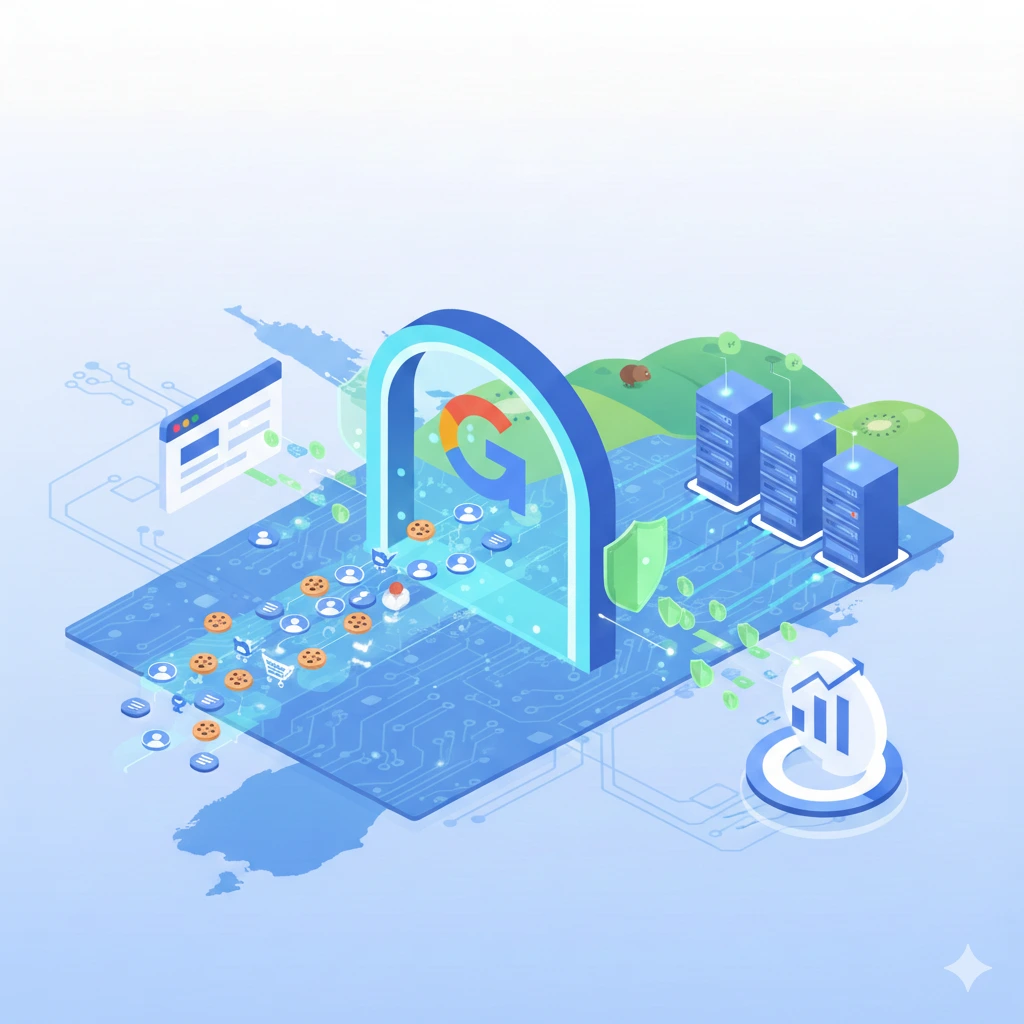
    Think of third-party scripts as various couriers coming in and out of your building. With Google Tag Gateway, you essentially set up a single, secure mailroom on your own domain. The visitor’s browser only talks to you. Cloudflare then forwards that information to Google. This keeps your site’s “conversation” private and reduces the number of external holes that could potentially be targeted.
  • Processing in a “Safe Room”
    A standout feature is the move toward Confidential Computing. Imagine a locked vault where data is processed. Even the people who own the vault (Google or Cloudflare) can’t see what’s happening inside while the numbers are being crunched. This uses a Trusted Execution Environment (TEE) to ensure that sensitive interactions are processed in an isolated space, making it nearly impossible for data to be intercepted or leaked during the handoff.
  • Enhancing Data Privacy with Anonymisation
    One of the best features of this setup is how it handles sensitive information. When data passes through the gateway, it hits the Cloudflare “edge” first. This acts as a protective shield. You can configure the system to mask details like a user’s IP address before it ever leaves your sphere of influence. It’s a fair way to respect privacy while still getting the high-level data you need to make decisions.

Is This Move Right for Your Site?

It’s important to be fair: not every website needs to rush into this. If you’re running a small site with a basic setup, the standard Google Tag is likely doing its job just fine. There is no need to add new technical layers if you aren’t feeling the limitations of your current tracking.

Assessing the Necessity

This setup is specifically designed for businesses that handle significant customer data or operate in high-traffic environments where data integrity is paramount. If you are already using Cloudflare for its security features, adding the Tag Gateway is a logical, low-effort extension of your strategy. It provides a “hardened” measurement stack that aligns with modern privacy standards without forcing you into a complex technical project.

Choosing Your Path

Choosing how to handle your data is a balance between insight and responsibility. The Google Tag Gateway and Cloudflare partnership provides a more resilient way to maintain that balance. It moves away from the fragmented, multi-connection methods of the past and toward a cleaner, first-party future. It isn’t about creating alarm or pushing unnecessary tools; it’s about choosing an organised, professional framework. By simplifying your infrastructure, you aren’t just improving your reports—you’re building a more secure, transparent experience for every person who visits your site.

Is Google Tag Gateway Worth It for You?

When a new piece of technology like the Google Tag Gateway enters the conversation, the initial reaction is often a mix of curiosity and a bit of “tech-fatigue.”.
But the real question isn’t just “what is the Gateway”, or “Is Google Tag Gateway Worth It for You?” but rather, “is this the right investment for my specific business model?” Let’s peel back the layers and see who actually stands to benefit from this shift and who can safely stay the course.


Is Your Current Data Strategy Hitting a Ceiling?

For many growing brands, there comes a point where traditional tracking methods start to feel a bit fragile. If you’ve noticed a widening gap between what your internal sales CRM shows and what your marketing dashboard reports, you’re likely hitting a technical ceiling. This isn’t usually a “mistake” in your setup; it’s simply the reality of how modern browsers interact with tracking scripts. If your business relies heavily on precision—where every single conversion needs to be accounted for to justify a significant ad spend—then you are exactly who Google had in mind when designing the Tag Gateway.

The Transition from Client-Side to Server-Side Control

To understand if this is for you, think about how data currently moves. Most sites use “client-side” tagging, which essentially means the heavy lifting happens in the user’s browser. It’s a bit like asking a customer to fill out their own paperwork and mail it to you; sometimes things get lost, and you have very little control over the process once they leave your sight. The Tag Gateway moves this process to a “server-side” environment. Suddenly, you are the one handling the paperwork. This shift offers a level of data integrity that traditional methods simply cannot match, as it bypasses many of the common roadblocks that cause data to “drop off” mid-journey.


When Traditional Tagging Still Makes Perfect Sense

Despite the benefits, it is important to be fair: not every website requires this level of infrastructure. If your digital presence is primarily a lead-generation tool for a local service or a niche boutique, the standard Google Tag setup is remarkably robust. There is no need to introduce the complexity of a gateway if your current data is clear, actionable, and helping you meet your monthly targets. We often see businesses get caught in the trap of “solving” problems they don’t actually have, leading to unnecessary overhead and management time.

Avoiding Over-Engineering for Smaller Digital Footprints

If your traffic volumes are modest, the “performance hit” of traditional tags is usually negligible. Similarly, if you aren’t running complex, multi-channel attribution models, the hyper-precision of a Gateway might not actually change the decisions you make on a Monday morning. It is perfectly okay—and often smarter—to take a “wait and see” approach. You can always scale into more advanced tracking as your traffic and ad spend grow.


Making an Informed Decision for Your Brand

Deciding to move toward Google Tag Gateway should be a strategic choice, not a reactionary one. It is a powerful tool for those managing high-traffic platforms, those with strict privacy requirements, or those who find their current data simply isn’t reliable enough to steer the ship. For everyone else, it’s a technology to keep on the radar, but perhaps not on the payroll just yet. Clarity in your data is the goal, and sometimes the simplest path is the best one.

Is Your Tracking Ready? Meet Google’s New Tag Gateway

Digital advertising never stands still. Just when you think you’ve mastered tracking, reporting, and campaign optimisation, Google rolls out something new. This time? The Google Tag Gateway. And if you run Google Ads, manage GA4, or rely on conversion data to guide your marketing decisions, this update isn’t just another technical tweak. It’s a serious shift in how data flows between your website and Google.

So what exactly is it, and why should Kiwi businesses care?


What Is the Google Tag Gateway and Why Should You Care?

Google Tag Gateway Illustration

At its core, the Google Tag Gateway is designed to improve how website tracking communicates with Google’s systems. Instead of sending data directly from the browser to Google’s servers, the gateway allows businesses to route tracking data through their own server environment first.

Built for Privacy, Performance, and Better Data

Privacy isn’t optional anymore. It’s expected. The gateway helps advertisers align with modern privacy standards while still collecting the data needed to optimise campaigns. It reduces dependency on third-party cookies and supports a more resilient tracking framework in a privacy-first world.

In simple terms? You protect user data while protecting your marketing performance.


How the Google Tag Gateway Improves Your Campaign Performance

Accurate data drives profitable campaigns. If your tracking leaks, your strategy weakens. It’s that simple.

Cleaner Data, Better Decisions

When conversion tracking breaks, automated bidding strategies suffer. Smart Bidding relies on strong signals. If those signals disappear, performance drops. By strengthening how events and conversions are passed to Google, the Tag Gateway helps maintain data integrity.

And better data means sharper targeting, smarter budgets, and stronger ROI.

Faster Load Times, Stronger Conversions

Client-side scripts can slow down websites. And slow websites cost conversions. By shifting more responsibility server-side, businesses can potentially improve site performance. Even small speed gains can make a noticeable difference in conversion rates.

It’s like tuning an engine. Everything runs smoother, faster, and more efficiently.

Google Ads Audit Image

The bottom line? The Google Tag Gateway isn’t just a technical upgrade. It’s a strategic advantage.

In digital advertising, data is everything, and without accurate tracking, campaigns become guesswork. This gateway provides a smarter, privacy-conscious, and performance-driven way to manage your tracking infrastructure, ensuring your campaigns run efficiently and deliver measurable results. The takeaway is simple: implement early, secure your data, and create campaigns that perform consistently, now and into the future.

What is Generative Engine Optimisation (GEO)?

Every day there seems to be something new released in the world of AI development. As 2024 draws to a close, We’ve hunted down the information as to where we are at right now on the emerging topic of Generative Engine Optimisation (also known as GEO). We’ve also included some tips at the end to help you answer the questions of ‘how do I ensure my website/brand/business appears in AI Search results’.

Generative Engine Optimisation (GEO) is a cutting-edge evolution in the field of SEO that leverages AI-driven tools and techniques to optimise and generate content. It builds on traditional SEO practices by integrating generative AI technologies like OpenAI’s GPT models and Google’s Search Generative Experience (SGE).

Wordpress Article Covers 3
Example of Googles SGE in action.


GEO focuses on creating, optimising, and tailoring content dynamically for enhanced visibility and relevance in search engines and AI-powered search interfaces.

What is GEO?

GEO applies AI to analyse search intent, generate keyword-optimised content, and adapt dynamically to emerging trends in search behaviour. Unlike traditional SEO, which depends heavily on manual content creation and keyword mapping, GEO uses AI tools to automate these processes, offering scalability and efficiency. For example:

  • Dynamic content creation: Generative models like GPT produce human-like, engaging content tailored to user intent.
  • Intent analysis: AI tools help determine what type of content (informational, transactional, or navigational) aligns with specific search queries.
  • Personalisation: GEO adapts content to fit individual preferences, such as location or user behaviour.

How AI Engines Decide on Content

Generative AI follows a process inspired by SEO principles, tailored to provide the most relevant and useful content:

  1. Query Understanding: Break down the user’s request to determine intent and context. For instance, “geo-generative optimisation” implies interest in AI-enhanced SEO strategies.
  2. Knowledge Base Search: Retrieve the most relevant and up-to-date information from internal databases or external sources.
  3. Contextual Adaptation: Adjust the content to match the query’s intent, depth, and desired tone, ensuring clarity and relevance.
  4. Content Generation: Create clear, well-structured responses, naturally integrating keywords and addressing user intent comprehensively.

Similarly, tools like Google’s Search Generative Experience (SGE) summarise and present AI-curated results, moving beyond traditional link-based search results for user-centric convenience.

Google identified the movement towards people using AI for search and responded with their own AI response tool. Clever.

Applications and Challenges

Applications:

  • Hyper-local SEO: GEO excels in location-specific content by tailoring keywords and formats for local audiences, enhancing geo-targeted marketing efforts.
  • E-commerce: AI can dynamically generate product descriptions, blog content, or FAQs optimised for search engines.

Challenges:

  • Ethical considerations: Transparency in AI-generated content remains critical to ensure trust.
  • Algorithm dependency: Constant monitoring and adaptation to changing search engine algorithms are essential.
  • Quality assurance: While efficient, generative AI requires human oversight to ensure nuance and originality​

Future of GEO

The future of GEO lies in its ability to integrate seamlessly with AI-powered search interfaces and emerging technologies. For businesses, this means leveraging tools like GPT and SGE for a competitive edge. As AI search tools evolve, staying updated with GEO strategies will be crucial for visibility in this new search landscape​

5 tips that website owners can use to help them rank in geo searches

Here are five actionable tips for website owners aiming to rank higher in GEO (Generative Engine Optimisation) and local search results:

1. Optimise for Local Keywords

Incorporate location-specific keywords throughout your website, such as in:

  • Titles, meta descriptions, and headers.
  • Content, including blogs or FAQs addressing local queries.
  • Schema markup (e.g., LocalBusiness schema) to make your location explicit for search engines (if you need help with this area, Back9 is here to help you).

For example, instead of “best donut shop,” use “best donut shop in Invercargill.”

2. Leverage Generative AI for Personalised Local Content

Use AI tools like ChatGPT or Google’s Gemini to:

  • Generate geo-targeted blog posts about local events, news, or community issues.
  • Produce dynamic landing pages tailored to specific locations or customer personas.

Generative AI can streamline creating unique, keyword-optimised content for multiple locations.

3. Optimize Google Business Profile and Listings

Ensure your Google Business Profile is up to date:

  • Add accurate NAP (Name, Address, Phone number).
  • Include location-based keywords in your business description.
  • Encourage customers to leave reviews, and respond to them to improve visibility.

Using tools like AI-based content suggestions, personalise responses to reviews for enhanced engagement.

4. Use AI for Enhanced Mapping and Geo-Specific Tools

Incorporate tools like:

  • AI-generated interactive maps on your website.
  • Geo-specific calculators or tools, such as energy cost savings for specific regions.

For instance, Energy Owl’s online rooftop area tool is an excellent example of engaging users with localized, value-adding features.

5. Monitor Trends and Adapt to GEO Algorithms

AI-powered tools like Google’s Search Generative Experience (SGE) prioritize conversational, intent-based queries. To adapt:

  • Focus on creating content that answers “how-to” and “why” questions relevant to your location.
  • Use analytics tools (e.g., SEMrush or Ahrefs) to track local keyword performance and emerging search trends.

Stay updated with Google’s algorithm changes and tweak your GEO strategy as needed​.

If you’re looking to get your website in the best shape possible to rank in GEO searches, get in touch with Back9 Creative.

UX Revolution: User-Centric Design

In today’s competitive software landscape, a great user experience (UX) isn’t just a nice-to-have—it’s a critical differentiator that can make or break your product’s success. As we navigate an increasingly digital world, user-centric design has emerged as a key driver of innovation, customer satisfaction, and ultimately, business growth. Let’s explore how this approach is transforming the software industry and why it should be at the heart of your development strategy.

The Business Case for User-Centric Design

The numbers speak for themselves:

  • Forrester has shown that UX investments do lead to significant returns – commonly cited as around 100x the investment, or a 9,900% ROI – across specific cases or studies (Forrester, 2021).
  • 88% of online consumers are less likely to return to a website after a bad user experience (Amazon Web Services, 2024).
  • Improving customer experience can raise KPIs by over 80% while decreasing error rates and development time (IBM, 2023).

These statistics underscore the profound impact that user-centric design can have on your software’s success. But what does it really mean to put the user at the centre of your design process?

Key Principles of User-Centric Software Design

  1. Empathy-Driven Development: Start by truly understanding your users’ needs, pain points, and desires through in-depth research and personal development.
  2. Iterative Prototyping: Embrace rapid prototyping and continuous user testing to refine your designs based on real user feedback.
  3. Accessibility by Design: Ensure your software is usable by people with diverse abilities, improving overall usability for all users.
  4. Contextual Design: Consider the various environments and scenarios in which your software will be used, optimising for different contexts.
  5. Emotional Design: Go beyond functionality to create experiences that resonate emotionally with your users, fostering loyalty and enjoyment.

Case Study: Airbnb’s UX Overhaul

Airbnb revamped their platform by focusing on user-centric design principles, tailoring their search and booking experiences to user needs. By integrating features like wishlists, personalised recommendations, and enhanced mobile functionality, Airbnb saw:

  • 30% increase in bookings through mobile
  • 40% higher user engagement on their site
  • Enhanced customer satisfaction, with an overall improvement in their Net Promoter Score (NPS) by 25 points

This transformation solidified Airbnb’s position as a leader in the hospitality industry and significantly boosted user trust and loyalty. You can read more about this case study here.

As technology evolves, so do the possibilities for enhancing user experiences:

  • AI-Powered Personalisation: Leveraging machine learning to create interfaces that adapt to individual user preferences and behaviours in real-time.
  • Voice User Interfaces (VUI): Designing intuitive voice-controlled experiences as voice technology becomes more prevalent.
  • Augmented Reality (AR) Interfaces: Incorporating AR to create immersive, context-aware user experiences that blend digital and physical worlds.

Overcoming Challenges in User-Centric Design

While the benefits are clear, implementing a truly user-centric approach comes with its challenges:

  1. Balancing User Needs with Business Goals: Finding the sweet spot between what users want and what’s feasible and profitable for the business.
  2. Designing for Diverse User Groups: Creating experiences that cater to a wide range of users without compromising on simplicity and intuitiveness.
  3. Measuring UX Success: Developing meaningful metrics to quantify the impact of UX improvements on business outcomes.

Implementing User-Centric Design: A Strategic Approach

  1. Embed UX in Your Culture: Make user-centric thinking a core value across your organisation, not just in the design team.
  2. Invest in User Research: Allocate resources for ongoing user research to keep your finger on the pulse of user needs and preferences.
  3. Adopt Design Thinking: Implement design thinking methodologies to foster innovation and problem-solving centered around user needs.
  4. Continuous Iteration: Embrace a culture of continuous improvement, regularly updating your software based on user feedback and changing needs.
  5. Cross-Functional Collaboration: Break down silos between design, development, and business teams to ensure a holistic approach to user-centric design.

The Future is User-Centric

In the evolving software landscape, user-centric design isn’t just a trend – it’s the future of successful product development. By putting users at the heart of your design process, you’re not just creating better software; you’re building lasting relationships with your customers and setting your business up for long-term success.

Are you ready to revolutionise your software development with a user-centric approach? Let’s explore how we can transform your ideas into intuitive, engaging, and successful products that truly resonate with your target users. Contact Back9 Creative today to join the revolution and start your UX UI design and user-centric design journey.

AI in Software Development: Product Innovation

In today’s rapidly evolving tech landscape, artificial intelligence (AI) is revolutionising the way we approach software development. As software developers, Back9 has witnessed firsthand how AI-driven strategies can dramatically improve outcomes, boost ROI, and create unparalleled user experiences.

AI in software is all around us. Spotify uses AI and machine learning to create a personalised playlist, recommend a song or compile the popular end of year Wrapped feature. Grammarly suggests real-time grammar corrections, style improvements, tone adjustments, and even rewrites sentences for clarity and conciseness. Google Workspace uses ‘smart compose’ to suggest entire phrases while composing emails or documents, improving typing speed and reducing errors. These are only a couple of examples!


Let’s dive into the data-backed benefits of AI in software development and explore how your business can leverage this evolving technology.

Ftr Experience Header Scaled 1
Spotify Wrapped. Image source: Spotify

The Numbers Don’t Lie: AI’s Impact on Software Development

Recent studies paint a compelling picture:

  • Companies implementing AI in their software development process see a 25% reduction in time-to-market (McKinsey, 2023).
  • AI-driven testing can identify up to 90% of software bugs before launch (TechValidate, 2024).
  • Businesses using AI for market analysis in software development report a 30% increase in successful product launches (Gartner, 2023).

These statistics underscore the transformative potential of AI in software innovation. But how can you harness this power for your projects?

Strategies for AI-Driven Software Development Success

  1. Predictive Market Analysis: Utilise machine learning algorithms to analyse vast amounts of market data, identifying emerging trends and untapped niches before your competitors.
  2. AI-Powered Code Generation: Implement AI tools to assist in writing and optimising code, significantly reducing development time and improving code quality.
  3. Personalised User Experiences: Leverage AI to analyse user behaviour and preferences, creating dynamically adaptive interfaces that resonate with individual users.
  4. Automated Quality Assurance: Employ AI-driven testing tools to identify bugs and usability issues early in the development process, ensuring a polished final product.
  5. Intelligent Resource Allocation: Use AI to optimise your development team’s workflow, assigning tasks based on individual strengths and project requirements.
  6. Growth-Driven Software Development: With AI and the digital landscape changing so rapidly, adopting the Agile process of Growth-Driven Software Development is key. This will help your software continually improve and keep up with the ever-evolving digital world.

Case Study: AcmeSoft’s AI Transformation in Software Development

AcmeSoft, a mid-sized software company, implemented AI-driven development strategies in 2023. The results were staggering:

  • 40% reduction in overall development time
  • 35% increase in user satisfaction scores
  • 50% decrease in post-launch bug reports
  • 28% boost in first-year revenue for new software products

By embracing AI throughout their software development lifecycle, AcmeSoft not only improved their bottom line but also positioned themselves as industry innovators.

Case Study: Farm 4 Life and Back9’s AI-Powered Smart Farm Plan

Farm 4 Life, an innovative education platform in New Zealand that teaches farming to students, approached Back9 with a unique challenge. Tangaroa Walker, the Hub Founder of Farm 4 Life, needed a mobile app to allow their students to access courses and educational resources more easily.

As the project evolved, an opportunity was identified to provide a comprehensive one-page business strategy plan to those in the farming space. Leveraging AI integration, Back9 created a software platform where farmers can create a detailed and actionable business plan in a matter of hours – tailored specifically to the farming industry.

Farm 4 Life'S Smart Farm Plan Has Used Ai In Software Development.
Farm 4 Life’s Smart Farm Plan

The result? The Farm 4 Life Smart Farm Plan – an AI-powered solution that enables farmers with limited time to create comprehensive business plans quickly and efficiently.

This case study demonstrates several key strategies for AI-driven software development success:

  1. AI-Powered Personalisation: The Smart Farm Plan uses AI to tailor business plans to the specific needs of individual farmers.
  2. Automated Content Generation: AI algorithms help generate detailed business plans based on user inputs and industry-specific data.
  3. Intelligent Data Analysis: The system likely uses AI to analyse market trends and best practices in the farming industry to inform the business plans.
  4. User-Centric Design: The mobile app and Smart Farm Plan were developed with the end-users (students and farmers) in mind. That means addressing their specific needs and constraints.
  5. Innovative Problem-Solving: Back9’s approach shows how AI can be used to identify and solve problems beyond the initial project scope.

Looking Ahead: The Future of AI in Software Development

As AI technology continues to advance, we anticipate even more exciting developments:

  • Autonomous Code Refactoring: AI systems that can automatically improve and optimise existing codebases.
  • Emotional Intelligence in UX Design: AI-powered interfaces that can read and respond to users’ emotional states in real-time.
  • Predictive Maintenance: AI algorithms that can forecast potential software issues and automatically implement fixes before problems arise.

Overcoming The Challenges

While the benefits are clear, implementing AI in software development comes with its challenges:

  1. Data Privacy and Security: Ensuring that AI systems handle sensitive code and user data securely and in compliance with regulations.
  2. Skill Gap: Many organisations lack in-house expertise in AI. Investing in training or partnering with AI specialists can bridge this gap.
  3. Integration with Existing Workflows: Adapting current development processes to incorporate AI tools seamlessly.

Embracing the AI Revolution in Software Development

The integration of AI into software development isn’t just a trend – it’s a fundamental shift in how we approach innovation. By embracing these technologies, you’re not just keeping pace with the industry – you’re positioning your business at the forefront of the next wave of software evolution.

Are you ready to revolutionise your software development process with AI? Let’s explore how Back9 can bring your software ideas to life. Together we’ll leverage cutting-edge AI technologies to create products that truly resonate with your target market.

Contact us today to start your AI-driven innovation journey in software development.