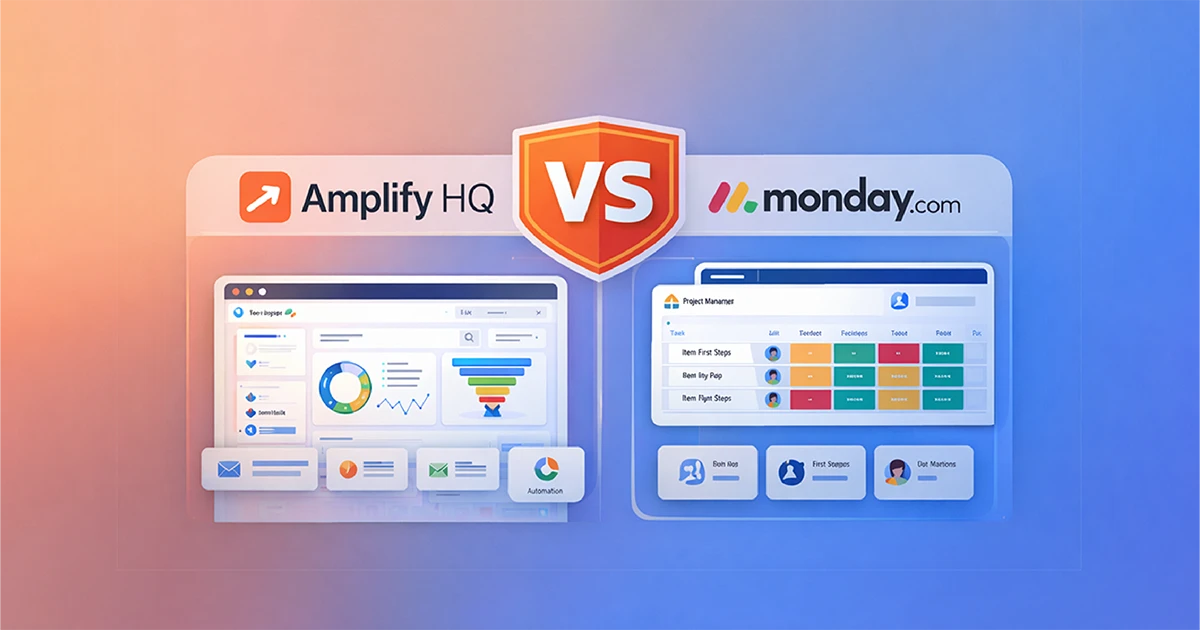
Amplify HQ vs Monday.com: Which Platform Is Right for Growth-Focused SMBs?

Choosing between Amplify HQ vs Monday.com isn’t really about features. It’s about intent.

Most small business owners we work with aren’t short on tools. They’re overloaded with them. CRMs, project boards, inboxes, forms, spreadsheets; all doing something, but rarely working together.

The real decision comes down to this:

  • Do you need an operational system to manage internal work?
  • Or do you need a revenue system designed to generate, nurture, and convert leads?

This comparison is written to help you make that call clearly, without sales hype, and without pretending one tool does everything.

What Is Amplify HQ?

Amplify HQ is a unified sales and marketing platform built for Back9 Digital clients.

Its job is simple and specific:
turn website traffic into qualified leads, and leads into paying customers.

Amplify HQ brings your website, CRM, forms, calendars, automation, and messaging into one connected system. Instead of jumping between tools, everything works together by design.

This means:

  • Leads are captured automatically
  • Follow-ups happen without manual chasing
  • Conversations stay in one place
  • Your website becomes an active sales asset, not a static brochure

Amplify HQ is built for businesses that want fewer tools — and better outcomes.

What Is Monday.com?

Monday.com is a powerful work management platform designed to organise internal operations.

It excels at:

  • Project tracking
  • Task management
  • Workflow visibility
  • Team collaboration

Monday.com is an operational OS. It helps teams deliver work efficiently once that work already exists.

What it is not designed for is:

  • Lead capture
  • Sales automation
  • Website-to-CRM workflows
  • Marketing funnels or conversion optimisation

That distinction matters.

The Core Difference: Operations vs Revenue

The choice between Amplify HQ and Monday.com reflects where your business bottleneck actually sits.

CategoryMonday.comAmplify HQ
Primary roleInternal operationsSales & marketing engine
Core usersDelivery teams, project managersBusiness owners, sales & marketing
Main goalOrganise existing workGenerate and convert new work
Website integrationLimitedNative and central
Automation focusInternal efficiencyLead follow-up and conversion

If your main challenge is managing delivery, Monday.com is a strong fit.
If your main challenge is creating consistent demand, Amplify HQ is built for that job.

Amplify HQ Pricing Plans

Amplify HQ is available across four standard packages. Each tier unlocks a deeper level of capability, depending on how serious you are about growth, automation, and scale.

You can move between plans as your business evolves. No lock-in. No long-term contracts.

Starter — $79 + GST per month

For businesses that want a clean, reliable foundation

The Starter plan is designed to get you set up properly without overcomplicating things. It gives you the core systems required to manage contacts, conversations, and basic operations in one place.

Includes:

  • Amplify Core – Central CRM to manage contacts, companies, and activity
  • Amplify Ops – Basic operational tools to stay organised
  • Secure hosting, SSL, and platform access
  • Ideal if you’re early-stage or replacing spreadsheets and inbox chaos

Best for:
Sole traders or small teams who want structure before scale.

Grow — $199 + GST per month

For businesses ready to generate and manage leads

The Grow plan introduces lead handling and workflow automation. This is where your website and marketing activity start working with your systems, not around them.

Everything in Starter, plus:

  • Amplify Lead – Capture and manage enquiries from forms, funnels, and landing pages
  • Amplify Flow – Automations for lead notifications, follow-ups, and simple journeys
  • Better visibility from first enquiry to next action

Best for:
Businesses actively marketing and wanting faster response times and fewer missed opportunities.

Pro — $249 + GST per month

For businesses turning marketing into a system

The Pro plan is where Amplify becomes a true revenue engine. It connects conversations, bookings, and follow-ups into a single, manageable workflow.

Everything in Grow, plus:

  • Advanced automation logic and workflows
  • Deeper insight into lead behaviour and engagement
  • Improved control over how prospects move from enquiry to booked work

Best for:
Growth-focused businesses that want consistency, not guesswork.

Unleashed, The Pro Scale — $499 + GST per month

For teams serious about scale and visibility

Pro Scale unlocks the full Amplify HQ ecosystem. This is a unified system designed to support higher volumes, multiple channels, and more complex sales processes.

Everything in Pro, plus:

  • Amplify Scale – Advanced reporting, segmentation, and scalability tools
  • Unified inbox across email, SMS, and social channels
  • Built for higher enquiry volume and multi-channel engagement
  • Designed to support teams, not just individuals

Best for:
Established businesses scaling lead flow, sales activity, and team involvement.

Annual Plans (Save Over 16%)

Each plan is also available on an annual subscription, saving over 16% compared to monthly pricing.
Ideal if you’re committed to building systems properly and want predictable costs.

Choosing the Right Plan

If you’re unsure where to start, the rule of thumb is simple:

  • Starter = organise your foundations
  • Grow = capture and respond to leads
  • Pro = systemise growth
  • Pro Scale = scale with confidence

If you’d like help choosing the right tier, a short exploratory session will usually make it obvious within 15 minutes.

No pressure. Just clarity.

Why Automation Creates Leverage

Automation isn’t about removing people. It’s about removing friction.

When your website, forms, inbox, calendar, and CRM are disconnected, leads leak out of the system. Follow-ups are late. Conversations get lost. Opportunities stall.

Amplify HQ removes that friction by design.

A clear example is the Unified Inbox in Amplify Pro. All conversations: email, SMS, and social, live in one place. No switching tabs. No missed messages. No guessing who replied last.

That’s how systems turn attention into revenue.

The SEO and Lead Generation Reality

We often explain this using a simple analogy.

A basic template website is like a Suzuki Swift. It gets you on the road. It’s affordable. It does the job.

A growth-driven platform is closer to a Ferrari. Built for performance, not just presence.

If your website’s job is to:

  • Rank on Google
  • Capture enquiries
  • Book meetings
  • Support sales conversations

Then it needs to be connected to a system that can actually do that work.

Without integration, you’re not building a growth asset, you’re just hosting pages.

Amplify HQ vs Monday.com: Which Should You Choose?

Choose Monday.com if:

  • You already have strong lead flow
  • Your main challenge is delivery and coordination
  • You need deep task dependencies and internal reporting
  • Sales and marketing live elsewhere

Choose Amplify HQ if:

  • Lead generation is inconsistent
  • Follow-ups are manual or slow
  • Your website isn’t pulling its weight
  • You want one system focused on growth, not admin

Final Thoughts: Software Is Only Half the Equation

Tools don’t create results. Systems do.

Monday.com is a global SaaS platform built for scale. Amplify HQ is delivered with local support from teams in Invercargill and Christchurch who understand how New Zealand businesses actually operate.

The GainLine move isn’t adding more tools.
It’s choosing fewer tools that work together properly.

If you want to clarify your growth architecture, you can book a complimentary exploratory meeting or start with a Digital Marketing Roadmap to identify where your biggest leverage really sits.

No hype. Just clear next steps.

How Much Do Google Ads Cost in 2026

Welcome to the Back9 Digital Google Ads Cost Guide for 2026.

As we explore how much do Google Ads cost, remember that click costs can vary significantly based on your strategy.

As we delve deeper into how much Google Ads cost, we’ll uncover strategies to optimise your spending.

We created this guide to help New Zealand business owners understand how Google Ads pricing works, what influences cost, and how to choose a budget that delivers consistent results. Our goal is to make digital marketing simple, practical, and grounded, so you can make confident decisions and avoid the common pitfalls that lead to wasted spend.

Stylised-Image-Of-A-Woman-Comparing-Apples-With-Oranges-As-A-Metaphor-On-Why-Google-Ads-Prices-Vary-So-Much

Google Ads continues to be one of the most effective ways for New Zealand businesses to reach customers who are actively searching for products or services. When people are ready to buy, they often go to Google first, which is why Google Ads remains such a powerful tool for generating leads and sales. The question most business owners ask is how much do Google Ads cost in 2026. The answer depends on a mix of factors, however the good news is that Google Ads can suit most budgets when campaigns are set up and managed correctly. Understanding how much do Google Ads cost is crucial for effective budgeting.

Image-Of-Back9-Creatvie-Logo-And-Google-Partner-Badge

When considering how much Google Ads cost, remember that your budget will greatly influence your visibility.

Furthermore, understanding how much Google Ads cost, can help you allocate your resources more effectively.

Keep in mind that it’s a pay-per-click model, making it flexible, which also means, understanding how much Google Ads cost will help you set realistic expectations and achieve your marketing goals.

To answer the question, how much do Google Ads cost, varies by industry and competition, but understanding the cost dynamics is essential for effective marketing.

When measuring success, consider how much do Google Ads cost in relation to your overall marketing performance.

To gain insights into how much do Google Ads cost, consider factors such as your industry and competition.

How Google Ads Pricing Works

Google Ads most commonly operates on a pay-per-click model, meaning you pay when someone clicks on your ad. You do not pay simply for your ad to appear in search results.

When someone searches for something related to your keywords, Google runs a real-time auction to determine which ads show and in what order. The cost of each click is influenced by factors such as competition, keyword intent, your industry, the quality of your ads, your landing page experience, and how relevant Google believes your ad is to the search query.

It’s worth noting that some Google Ads formats, particularly display and video campaigns, can also be priced on an impression basis (cost per thousand views). However, most businesses running search campaigns will primarily pay per click.

As you refine your marketing strategy, remember to assess how much do Google Ads cost alongside other channels.

Ultimately, understanding how much do Google Ads cost can empower you to make smarter financial decisions.

Industries with high commercial intent tend to cost more per click. Legal services, trades, insurance, and finance are often at the upper end. Industries like hospitality, education programmes, health and beauty, and retail tend to sit lower.

There is no fixed price for a click. However, most New Zealand businesses can experience click costs ranging from a few cents up to $20 or more, depending on the competition. And this will vary dramatically based on the competition for that word or phrase, as well as the location you want to target.

For example:

lawyers Christchurch = $3.19 per click, whilst lawyers invercargill = $1.77 per click

business lawyers christchurch = $17.24 per click. and currently nothing in Invercargill

Many factors can affect how much do Google Ads cost, so it’s crucial to stay flexible amd trust whoever is managing your ads.

Get Free Audit On Your Google Ads Account

How Much Do New Zealand Businesses Usually Spend?

As you plan your strategy, think about how much do Google Ads cost and how that fits into your overall marketing budget.

Google Ads budgets vary widely because every business has different goals, locations, and levels of competition. As a general guide, most small to medium New Zealand businesses we deal with spend between $450 and $2,500 per month on click costs. Larger, national, or highly competitive industries may invest significantly more.

Regularly reviewing how much do Google Ads cost will help you adapt to market changes and ensure effectiveness.

Your budget determines how often your ads show and how many clicks you can get. Higher budgets allow more visibility and more opportunities to convert. Smaller budgets still work, however they require careful targeting, tight keyword selection, and a strong focus on quality and relevance.

Does a Larger Budget Guarantee Better Results?

Not necessarily. A large budget gives you more scope, however performance still relies on the quality of your campaign structure and your overall digital experience. A well targeted campaign with a modest budget can outperform a poorly structured campaign with a larger one. Google rewards relevant ads, strong keyword alignment, well written copy, and high quality landing pages. This is often referred to as your Quality Score and it has a direct impact on what you pay per click.

A strong Quality Score can lower your costs because Google wants to show ads that are useful to the user. A poor Quality Score pushes your cost per click up. This is one of the biggest factors that influence how much Google Ads costs in practice.

So, when you ask how much do Google Ads cost, think about both the investment and the potential returns.

In summary, knowing how much do Google Ads cost is vital for setting realistic marketing goals.

What Influences Google Ads Costs in 2026?

Are you wondering how much do Google Ads cost for your specific industry? It’s essential to research and adapt.

Several key factors determine how much you will pay.

Your industry. Some industries have more advertisers competing for the same keywords.
Your location. Larger cities with more competition can drive bidding prices up.
Search intent. Keywords that show strong commercial intent cost more than general or information seeking queries.
Your ad relevance. Better relevance usually means lower costs.
Your landing page experience. Google favours pages that load quickly, provide useful information, and answer the search query well.
Your bid strategy. Smart bidding, manual strategies, and automated optimisation all impact cost.
Competition at the time of day. Auction prices can fluctuate depending on demand.
Seasonality. Industries like tourism, construction, and retail often experience seasonal shifts in cost.

Understanding these factors helps businesses forecast more accurately and choose budgets that make sense for their goals.

Is Google Ads More Expensive in 2026 Than Previous Years?

In many industries, yes, although not dramatically. Costs have increased due to higher competition, improved automation, and more businesses relying on Google Ads as part of their core marketing. At the same time, Google continues to invest in AI driven bidding systems that can make campaigns more efficient when they are set up correctly.

For most businesses, Google Ads is still cost effective because it targets people who are already searching for what you offer. When compared to print, radio, or broad reach advertising, Google Ads still delivers a measurable and often more profitable return on investment.

What Should Your Google Ads Budget Be?

There is no one size fits all answer. A good rule of thumb is to start with a budget that allows enough daily activity for Google to gather data and optimise. Businesses in low competition markets may operate successfully at the lower end of the range. Businesses in competitive markets may need a higher budget to get enough visibility.

When evaluating how much Google Ads cost, consider the return on investment versus potential reach.

Consider your average customer value, the number of leads you want each month, and how many clicks you need to generate those leads consistently. A higher value service can justify a larger budget, while a lower value product may need more volume and tighter targeting.

Why Campaign Structure Matters More Than Budget?

A well structured campaign can reduce wasted spend, improve Quality Scores, and lower your overall cost per lead. Common issues that increase costs include broad match keywords attracting irrelevant clicks, poor ad copy that lowers click-through rates, missing conversion tracking, and landing pages that do not align with the search query. Fixing these issues often reduces the cost of running ads because the campaign becomes more efficient.

Quality also matters because Google favours advertisers who deliver strong user experiences. Your ads, your keyword selection, and your landing pages all need to work together. When they do, Google rewards you with lower costs and stronger visibility.

Are Google Ads Worth It for Small and Medium NZ Businesses?

Yes, when done well. Google Ads gives you speed, visibility, and control. You can start with a modest budget and scale as needed. You can pause campaigns any time and adjust targeting instantly. You can measure every click, every enquiry, and every conversion. You also get valuable data that improves your wider digital strategy.

For many New Zealand businesses, Google Ads is a core part of their lead generation system. It works well alongside SEO, content, email marketing, and Growth Driven website improvements. When everything is aligned, Google Ads becomes even more cost effective because your website converts visitors more efficiently.

Key Takeaways for Google Ads Costs in 2026

Google Ads pricing varies by industry, competition, and campaign quality. Most NZ businesses spend between $450 and $2,500 per month on click costs. Costs continue to rise slightly each year, however smart targeting and strong optimisation keep Google Ads affordable and profitable. The key to reducing costs is relevance, quality, and accurate tracking.

If you want help estimating what your specific industry may cost or need an audit of your current account, we can break down the numbers for you and give you a realistic picture of what to expect.

Image-With-Maginfiiny-Glass-With-Wording-Do-You-Really-Need-Google-Ads-Overlaid

How much do Google Ads cost in New Zealand in 2026?

Most New Zealand businesses spend between $450 and $2,500 per month on click costs. The exact amount depends on industry competition, search intent, and campaign quality.

What affects the cost of Google Ads?

Costs are influenced by your industry, targeted location, keyword intent, ad relevance, landing page experience, bid strategy, and competitor activity in the auction.

Does a bigger budget guarantee better results

A bigger budget increases your visibility; however, performance still depends on campaign structure, targeting accuracy, Quality Score, and landing page quality.

What is a good starting budget for Google Ads

For most small to medium New Zealand businesses, a good starting point is between $450 and $900 per month, depending on competition and search volume.

Are Google Ads worth it for small businesses

Yes, when campaigns are built and optimised correctly. Google Ads provides targeted traffic, measurable results, and scalable lead generation for most businesses.

Are Google Ads more expensive in 2026

In many industries the cost per click has increased slightly due to higher competition. However, improved campaign structure and better optimisation can help maintain affordable results.

GEO in 2025: The Next Phase of Search

GEO. or Generative Engine Optimisation 2025 is the evolution of SEO that uses AI to help websites appear in AI-powered search results like Google’s Search Generative Experience and ChatGPT. It focuses on context, structured data, and authority, ensuring brands remain visible in both traditional and conversational search.

Every day, AI search engines like our old mate Chat GPT, and the like, are reshaping how people find information online. If 2024 was the year everyone talked about Generative Engine Optimisation, 2025 is the year it becomes essential.

As platforms like Google’s Search Generative Experience (SGE), ChatGPT, and Perplexity gain traction, your website’s visibility depends on how well it adapts to this new way of search.

At Back9 Digital, we’ve been tracking these changes closely — and this article breaks down what’s next for Generative Engine Optimisation in 2025, plus what you can do to stay ahead.

What Is Generative Engine Optimisation (GEO)?

Generative Engine Optimisation is the evolution of SEO that uses artificial intelligence to improve how your content appears in AI-powered search results.
Instead of focusing solely on search engines, it ensures your brand is visible in AI summaries, conversational queries, and smart assistants.

It combines traditional SEO techniques with AI-driven insights to make your content more relevant, local, and human.

Search is no longer just about keywords. Users now ask AI engines questions directly — such as “Who are the best website design agencies in New Zealand?”

AI tools don’t simply find answers. They generate them, summarising the best information from multiple sources. If your brand isn’t part of that dataset, you risk being invisible.

That’s why Generative Engine Optimisation in 2025 focuses on how your brand is represented, structured, and connected online.

GEO 2.0: What’s Changing This Year

1. Context Over Keywords

It ain’t new, but search engines still value context and topical authority. Instead of repeating phrases, build content clusters around themes your audience cares about.

2. Credibility and Entity Recognition

AI models use “entity mapping” to verify sources. Structured data and author profiles help identify your brand as a trusted expert.

3. Conversational Optimisation

People search with natural language. Create content that answers both short-tail and long-tail questions clearly and conversationally.

4. Authority and Mentions Matter

Citations, backlinks, and brand mentions — even without links — are now key ranking factors for GEO.

The Role of Local SEO in GEO

Local SEO and GEO are merging.
AI models like Google’s SGE give preference to verified, geographically relevant content.

To strengthen your local GEO presence:

  • Optimise your Google Business Profile.
  • Use LocalBusiness schema on your website.
  • Publish fresh, community-based content that includes local context.

These updates help AI engines identify your business as an active, trustworthy source in your region.

Why Human Insight Still Matters

Even with AI doing the heavy lifting, human creativity is vital.
AI-generated summaries rely on your published work — blogs, guides, videos, and reviews — to inform their responses.

Focus on:

  • Quality writing that reflects your brand voice.
  • Regular updates that show expertise.
  • Accuracy and authenticity over automation.

This is how AI learns to trust and recommend your business.

5 GEO-Ready Actions to Take in 2025

  1. Audit Your Online Presence
    Make sure your brand information is consistent across your website, social media, and directories.
  2. Add Author and Brand Schema
    Use Rank Math to include structured data for authors, organisations, and services.
  3. Write for People, Structure for AI
    Use clear headings (H2/H3), FAQ sections, and schema markup. This helps AI understand your content faster.
  4. Keep Your Content Fresh
    Update pages regularly. AI models favour newer, active sites.
  5. Monitor and Adapt
    Track how your pages perform in AI-generated answers and adjust your approach based on what’s cited.

Final Thoughts

Generative Engine Optimisation in 2025 isn’t just another SEO trend — it’s the foundation for the future of digital visibility.
As AI tools continue to dominate search behaviour, brands that adapt now will win later.

At Back9 Digital, we help businesses future-proof their SEO strategy with GEO-focused content, structured data, and AI-driven insights.
If you’re ready to make your business stand out in both traditional and AI-driven search, get in touch with us today.

FAQ’s

1. What is Generative Engine Optimisation?

Generative Engine Optimisation is the next evolution of SEO. It uses artificial intelligence to help websites appear in AI-driven search results, such as Google’s Search Generative Experience (SGE) or ChatGPT.
Instead of relying only on keywords, it focuses on context, structure, and credibility so AI tools can understand, summarise, and recommend your content.

2. How is Generative Engine Optimisation different from traditional SEO?

Traditional SEO focuses on improving rankings in Google’s standard search results through keywords and backlinks.
Generative Engine Optimisation builds on that by ensuring your content is visible in AI-generated summaries and conversational searches.
It’s not about replacing SEO — it’s about preparing your content for how people search now: through AI assistants, chatbots, and generative engines.

3. How can I optimise my website for Generative Engine Optimisation in 2025?

Start by auditing your content for clarity and relevance.
Add structured data (schema), update your Google Business Profile, and make sure your information is consistent across all platforms.
Create content that answers natural questions, uses local context, and sounds conversational.
Finally, monitor how your brand appears in AI search tools and adapt based on what gets cited.

4. Does Generative Engine Optimisation replace SEO completely?

No — Generative Engine Optimisation doesn’t replace SEO; it expands it.
SEO remains the foundation for visibility, but it ensures your content is ready for AI-first search.
Think of SEO as helping search engines find your site, while Generative Engine Optimisation helps AI understand and recommend it.

5. Why is Generative Engine Optimisation important for New Zealand businesses in 2025?

AI search tools are changing how Kiwis find local businesses.
Whether someone’s asking “best web design agency in NZ” or “top cafés near me,” AI engines now generate answers directly.
Generative Engine Optimisation ensures your business information is structured, verified, and relevant so your brand appears in these AI-powered responses.

How to Find a Proven Facebook Advertising Agency for Your Business

As a Facebook Advertising Agency, we’ve seen firsthand the changes to the Facebook algorithm over the years. What was once a great way to market and advertising (For free, might I add) has now become harder and harder to get your message in front of the right audience. Therefore, with that in mind, you have to accept that it’s a ‘pay-to-play’ platform these days!

Facebook advertising is a great way for businesses to expand their reach. With over two billion active users, Facebook offers unparalleled access to potential customers. But navigating its complex ad platform can be daunting.

That’s where a Facebook advertising agency (Like Back9) comes in. These experts can craft targeted campaigns that resonate with your audience. This saves you time and resources. They leverage advanced analytics to optimise your ads. As a result, you get the best return on investment.

Partnering with a Facebook advertising agency can transform your digital strategy. It allows you to focus on what you do best—running your business. In the meantime, they handle the intricacies of online advertising.

Why Advertise My Business on Facebook?

Advertising your business on Facebook unlocks access to a vast and diverse audience. Its advanced targeting tools ensure your ads reach the right people. Imagine the potential of connecting with users who are most likely interested in your products or services.

Key reasons to advertise on Facebook include:

  • Vast user base and robust targeting options.
  • Cost-effective with flexible budgeting.
  • Enhanced brand visibility and credibility.

Beyond reach, Facebook offers various ad formats. Each is designed to engage users effectively. Whether you opt for carousel images or engaging videos, Facebook’s platform supports creativity. Therefore, it makes it easier to capture and retain attention.

Image-Of-A-Person-Holding-A-Mobile-Phone-With-Facebook-Reactions-Overlaid-For-A-Cta-On-How-Much-Facebook-Advertising-Agency-Cost

What Does a Facebook Advertising Agency Do?

A Facebook advertising agency offers expert guidance for your campaigns. They save you time by handling the complexities of the platform. Let professionals manage the technical details. This frees you to focus on your business.

Here’s what a typical agency provides:

  • (Depending on the agency) Crafting engaging ad content.
  • Managing campaign budgets effectively.
  • Providing detailed analytics and insights.

These agencies excel at creating ads that resonate with your target audience. They’re adept at A/B testing to refine strategies for optimal results. By leveraging their expertise, businesses can maximise their ROI. With a deep understanding of Facebook’s algorithm, agencies ensure your ads are always optimised. Moreover, they keep you updated with trends. This ensures your campaigns remain competitive.

Key Benefits of Hiring a Facebook Advertising Agency

Partnering with a Facebook advertising agency offers several strategic advantages. Expert agencies handle the nuances of digital marketing. This leads to better outcomes for your campaigns. Furthermore, they tailor their services to align with your business objectives.

Here are some key benefits:

  • Access to advanced targeting and analytics.
  • Creative ad development for better engagement.
  • Continuous optimization and performance monitoring.

Agencies possess insights from diverse industries. They apply best practices to ensure your ads stand out. This expertise helps in achieving a competitive edge in your market.

Another advantage is cost-effectiveness. Agencies manage your budget efficiently. This often leads to a better return on investment. They handle the heavy lifting. Thus, you can focus on your core business activities without distractions.

How to Choose the Right Facebook Advertising Agency

Selecting the right Facebook advertising agency is a crucial step toward success. Start by evaluating their expertise and experience in your industry. This ensures they understand your target market. Additionally, they can craft effective strategies.

Consider the following factors when making your decision:

  • Proven track record with case studies.
  • Transparent communication and reporting practices.
  • Capability for ongoing optimization and support.

Assess their creativity and ability to adapt to changing trends. An agency that stays updated with new platforms and strategies can offer a competitive advantage. Ultimately, choose a partner that aligns with your vision. Also, consider your growth goals.

Take Action: Start Growing with Facebook Advertising

Don’t let your business lag behind in the competitive digital landscape. Embrace Facebook advertising to attract more customers and improve your bottom line. A well-executed ad campaign can be the catalyst for unprecedented growth.

Partnering with a skilled Facebook advertising agency allows you to leverage expert strategies for maximum impact. Start your journey today. Transform your digital marketing efforts into tangible results.

Image-Of-A-Person-Holding-A-Mobile-Phone-With-Facebook-Reactions-Overlaid-For-A-Cta-On-How-Much-Facebook-Ads-Cost

Best Website Builder NZ: What’s Right for Kiwi Businesses in 2025?

Why Choosing the Right Website Builder Matters

The digital space in NZ is more competitive than ever. Your website needs to work hard, bringing in leads, converting customers, and reflecting your brand. The platform you build it on can either set you up for success or hold you back.

The Best Website Builder NZ companies use in 2025 should:

  • Be easy to use
  • Load fast across all devices
  • Support local SEO
  • Allow for future growth

It’s not just about looking good. It’s about performance, flexibility, and alignment with your wider strategy.

Crane And Construction Site Building A Website, With Best Website Builder, Nz Wording On A Gradient Background

What to Look for in a Website Builder for NZ businesses

When evaluating platforms, focus on features that help your business grow — not just launch.

Key features to prioritise:

  • Mobile responsiveness across all devices
  • Customisable templates and branding options
  • SEO tools built-in (not just optional)
  • E-commerce capabilities (if applicable)
  • Integration with CRM or marketing tools
  • Clear pricing and scalability

Many builders offer the basics — but the Best Website Builder NZ businesses should choose will help you do more, with less manual effort.

Website Builder Comparison for NZ Businesses

Here’s a look at some of the most popular options, how they stack up, and who they’re best suited for.

Wix

Great for small businesses wanting a fast, DIY option. Offers a drag-and-drop editor with decent flexibility.

Strengths:

  • Easy to use
  • Large app marketplace
  • Lots of templates

Drawbacks:

  • Ads on free plan
  • Limited scalability for complex sites

Squarespace

Known for design. Ideal for creatives and service businesses who want a clean, visual-first site.

Strengths:

  • Beautiful templates
  • Built-in e-commerce
  • Simple editing

Drawbacks:

  • Less flexible for developers
  • Monthly cost can add up

WordPress.com

A strong choice for content-driven sites. Offers powerful features, but comes with a learning curve.

Strengths:

  • Great for blogging
  • Large plugin library
  • Solid SEO potential

Drawbacks:

  • Complex for beginners
  • Many features locked behind paid tiers
  • Templates can be slow and sluggish due to bloated code. If you want to go with WordPress, we’d recommend exploring a custom website!

Shopify

Built specifically for e-commerce. Excellent if you’re selling physical or digital products online.

Strengths:

  • Strong product and payment tools
  • Reliable hosting
  • Designed for conversion

Drawbacks:

  • Less relevant for non-retail sites
  • Monthly fees + app costs can stack up

GoDaddy

More basic, but can work for businesses needing a quick start. Offers domain + site builder in one. It probably only narrowly make it in to our list when considering the best website builder NZ businesses should consider.

Strengths:

  • Affordable
  • Simple setup
  • Fast to launch

Drawbacks:

  • Limited design flexibility
  • Not ideal for growing businesses

AMPLIFY

Built for Kiwi businesses who want more than just a website. Amplify HQ, combines a fast, responsive website builder with integrated CRM, booking tools, forms, marketing automations and local support. And from as little as $40 + GST per month, for Amplify CORE on an annual plan. Need help building out your website on Amplify HQ? We can help!

Strengths:

  • Designed for business growth
  • Mobile-first
  • Local NZ-based support from Back9
  • Includes marketing tools and CRM
  • Pay NZ Dollars
  • Basic Ecommerce – Digital products in particular

Drawbacks:

  • SEO and Schema-Mark-up need added to pages independently, so some knowledge is needed for DIY (although most people using Website builders don’t tend to implement SEO)
  • Not ideal for comprehensive E-commerce (i.e. Products with variations, such as size, colour etc)

If you’re looking for the Best Website Builder NZ businesses can grow with long-term, AMPLIFY should be on your shortlist.

Best Budget or Free Website Builder Options

For startups and sole traders, budget can be tight. These platforms offer entry-level options — but be aware of limitations.

Top free or low-cost options:

  • Wix – Free tier available (includes ads and branding)
  • Weebly – Known for simplicity, includes free plan
  • WordPress.com – Has a basic free version with upgrade paths

These can be useful to test ideas or get online quickly, but often lack the features needed for serious business use.

How to Choose the Best Website Builder for Your Business

Choosing the Best Website Builder in NZ, businesses should use comes down to one thing: your goals.

Ask yourself:

  • Do you need a simple brochure site or a lead-generating machine?
  • Will you be selling products or services online?
  • Is ongoing marketing or automation important to you?
  • Do you have time to manage the site yourself, or want support?

Match your needs to the platform’s capabilities — not just today, but 6–12 months from now.

Final Thoughts: What’s the Best Website Builder NZ Businesses Should Choose?

Like anything in life or business, there’s no universal answer when it come to asking what’s the Best Website Builder NZ Businesses Should Choose? But there is a right answer for your business.

If you’re a startup or side hustle, Wix or Squarespace might do the job for now.

But if you’re serious about digital growth, lead generation, and a system that supports your marketing, and has a support team on the ground then AMPLIFY offers a tailored solution for NZ businesses ready to scale.

It’s built for performance. Backed by real people. And designed to help Kiwi businesses do more with their digital presence.

Benefits of CRM for Small Businesses in New Zealand

It’s no real secret that in a digital-first world, small businesses in New Zealand face many unique challenges. They must attract new customers, manage relationships, and increase sales. While a well-optimised website is vital, it’s not enough on its own.

That’s where CRM systems come in. These powerful tools can transform how small businesses operate. A CRM system centralises customer data, streamlines operations, and improves interactions. For any business looking to grow, CRM software is a game-changer.

CRM isn’t just about storing contact details. It’s about building long-lasting customer relationships and driving real business growth. With the right CRM platform, small businesses can boost service levels and customer satisfaction—leading to stronger loyalty and retention.

What Is a CRM System and Why Is It Important for Small Businesses?

CRM stands for Customer Relationship Management. It’s both a strategy and a software solution. At its core, a CRM helps manage and track interactions with leads and customers—critical for small businesses aiming to expand.

Here’s why CRM matters:

  • It stores customer information in one central location.
  • It helps improve service with faster, more accurate responses.
  • It supports data-driven decision-making for sales and marketing.

For time-strapped small business owners, a CRM simplifies customer management. Everything is organised, searchable, and accessible in real time. That means fewer admin headaches and more time to focus on growth.

Core Benefits of CRM for Small Businesses

The strength of CRM systems lies in their flexibility and impact. They offer benefits far beyond contact management:

1. Improved Customer Service

A CRM ensures every team member has access to important customer information, from previous interactions to buying behaviour. This makes it easier to offer a personalised and responsive service experience.

2. More Efficient Sales Processes

CRM software automates many repetitive sales tasks and maximises efficiency with marketing automation. This allows sales and marketing teams to focus on converting leads. With a clear view of the sales pipeline, they can follow up faster and close more deals.

3. Smarter Marketing Campaigns

CRMs allow you to segment your audience and target campaigns with precision. By personalising your approach, your chances of converting leads into loyal customers increase dramatically.

4. Enhanced Team Collaboration

When everyone has access to the same customer data, collaboration improves. Sales, marketing, and service teams can align their strategies, resulting in better customer outcomes.

5. Time and Cost Savings

With automated workflows, manual tasks are reduced. That saves time, lowers costs, and reduces human error.

6. Scalability for Growth

As your business grows, your CRM can grow with you. Choose a system that’s flexible enough to meet your current needs—and scale as you expand.

How CRM Software Drives Sales and Lead Generation

A strong CRM strategy helps generate, track, and convert leads. It acts as a central hub for sales activities, ensuring no opportunity is missed.

Key benefits include:

  • Lead prioritisation: Focus on leads most likely to convert.
  • Automated follow-ups: Keep leads warm with scheduled reminders.
  • Pipeline visibility: Spot where prospects drop off and refine your process.
  • Sales personalisation: Customise your pitch using detailed customer history.

By aligning sales and marketing data, your team can run cohesive campaigns that drive consistent engagement. This boosts both conversion rates and customer satisfaction.

Strengthening Customer Relationships and Retention

Customer retention is cheaper than acquisition—and often more profitable. CRM systems support long-term relationship building by tracking each customer’s journey.

CRM tools enable:

  • Personalised communication: Use preferences and history to customise messaging.
  • Proactive engagement: Set alerts for contract renewals or special offers.
  • Segmentation: Group customers based on behaviour for tailored campaigns.

These personalised experiences build trust, reduce churn, and increase repeat business.

Streamlining Operations and Increasing Team Productivity

CRM systems remove silos and inefficiencies in day-to-day operations. Instead of juggling spreadsheets and emails, your team gets one unified platform to manage tasks and customers.

Productivity benefits include:

  • Centralised contact data and notes
  • Automated admin processes
  • Task assignment and collaboration features

The result? A more aligned and productive team that can deliver better results faster.

Using CRM Data to Make Informed Decisions

One of the biggest advantages of CRM systems is the ability to track, measure, and optimise. Analytics dashboards reveal what’s working—and what’s not.

CRM reports help with:

  • Sales forecasting and trend tracking
  • Customer behaviour analysis
  • Campaign performance reviews

These insights let you make data-backed decisions that support long-term growth.

Integrating CRM with Your Website and Digital Tools

To get the most out of a CRM, it should integrate with your website, email marketing software, and eCommerce platform (if relevant).

Benefits of CRM integration include:

  • Seamless data syncing across platforms
  • Accurate tracking of form submissions, purchases, and behaviour
  • Smarter personalisation through unified insights

This connected system improves user experience and helps convert more visitors into customers.

Choosing the Right CRM for Your Small Business

Believe me when I say, not all CRM platforms are equal. Trust me, we’ve tried them all… Consider your needs, goals, and team capabilities when choosing a system.

Use this checklist:

  • Is it scalable as you grow?
  • Does it integrate with your current tools?
  • Is it user-friendly and intuitive?
  • Does the price match the features you need?

Trial different options before committing, and gather feedback from your team. Adoption is key—so choose a CRM that people will actually use.

Overcoming CRM Implementation Challenges

Some businesses hesitate to implement a CRM due to perceived complexity. But with the right planning, setup is straightforward.

Tips for a smooth rollout:

  • Get buy-in from your team early
  • Clean and import data in stages
  • Provide training and support
  • Start simple and scale features over time

Addressing concerns upfront helps ensure your CRM becomes a daily driver of value, not another piece of unused software.

Action Plan: Getting Started with CRM

Ready to implement CRM? Follow these steps:

  1. Define your goals (sales growth, service improvement, etc.)
  2. Choose a system that fits your needs and budget
  3. Train your team and start with core features
  4. Review and optimise usage over time

Final Thoughts: Why Every Small Business Needs a CRM

CRM systems aren’t just tech tools—they’re growth engines. They help businesses build stronger relationships, work smarter, and grow faster.

For small businesses in New Zealand, a CRM can unlock new levels of efficiency and customer satisfaction. Embrace CRM today and give your business the foundation it needs to thrive tomorro