What is remarketing?

Remarketing is marketing to people who have already shown an interest in your products or services, such as people who have been on your website but didn’t buy anything. It’s one of the best ways to reach people who are interested in what you have to offer, yet something that many businesses don’t do; or even know about. There are some pros and cons to remarketing, but when done right, it can be good for you and your customers.

How does remarketing work?

The most common way that remarketing is done is through browser cookies. These are small bits of data that track whether or not you’ve visited a site. These help you get ads related to sites you’ve visited instead of getting something completely random you may or may not have any interest in. The idea is that the ads will be more relevant to you. And more relevant ads mean you’ll be more likely to interact with them.

So does remarketing work? According to Marketo, about 96% of visitors that come to your site aren’t ready to buy. They might be doing research like comparing what you have to a competitor. Or maybe they just want more information. Even if you’re extremely thorough and try to cover everything about your topics, you could be missing the information they need. They might need to visit a few other sites first and learn a little more from each.

Remarketing can be effective in these cases because it works as a reminder that your site was one of them that they were looking at before. Once they move on to the later stages of The Buyer’s Journey, they might be looking to do comparisons between different companies, and your remarketing ad could add you to that list or maybe even make you the one they choose.

What kinds of remarketing are there?

One of the most common forms of remarketing is abandoned cart remarketing. Have you ever looked at an online store, added a few useful things to your cart, and then completely forgot about them? If you’re like a lot of people and log out or close your browser window when you’re done interneting for the day, those items might get lost in the web. Abandoned cart remarketing sends you a reminder that you left things in your cart. If you have an email account, it might be through email. Or it might appear when you go back to the site next time. Most people find these helpful, because it’s a reminder of something they want–or no longer want and can quickly X out.

Google Ads

Google Ads, the most popular kind of remarketing, uses browser cookies. If you’ve ever searched for something–say, looking for a flight to Melbourne for an upcoming Holiday–you might notice that ads for that flight suddenly appear on random sites. Ads like these can be really useful. Since ads are going to be shown on a site regardless, wouldn’t it be better if they were for something you might actually use? That’s Google’s philosophy; useful ads are better for everyone.

Even though Google Ads remarketing is done primarily through image ads, those images still have keywords attached to them. This means they can show up when those keywords are searched for. But they can also show up after visiting a site. That Melbourne flight could come up with a picture of a $60 discount while you’re searching for a definition, stalking your rivals, or searching for things to do at work that’s anything but work. And if you were planning on going anyway, that’s a couple of extra Bogan Burgers for your trip!

Facebook Ads

Facebook also does remarketing (they call it retargeting though) with Facebook ads. By adding a little piece of code–called a Facebook Pixel–to your website, Facebook can connect your website and your business page together. This means people who came looked at something on your site can get an ad for it later on Facebook. Facebook is very into ad targeting. Targeting also helps you, because you can show ads only to the people that want to see it, like people who viewed one of your pages.

E-commerce sites can get even more out of retargeting by connecting a product catalogue to their Facebook account. Say you visited a site and added a few things to the cart. Then you got a text about some awesome monkey wearing a top hat and playing horseshoes and left the page. You might forget all about that after watching through the monkey’s entire video catalogue; even though you did want what was in your cart. With Facebook retargeting, later when you’re on Facebook, you can see an ad for the items in your cart. And it can remind you that you forgot to actually finish checkout. So you click it and finish buying it. Pretty nifty, right?

Facebook goes to the next level and does Dynamic ads too. This means that you don’t have to create an ad for every product in your catalogue. Instead, if you connect the catalogue and say you want to target people who added to their cart, the Facebook Pixel will show that same product the person left in the cart automatically. Easy peasy!

Done wrong, remarketing is creepy

When done right, remarketing serves as a gentle reminder. You might’ve forgotten to finish the checkout process. Or had too many tabs open. Seeing the ad or a reminder email helps you finish getting something you already wanted.

Other times, it’s plain creepy.

Have you ever talked about something you’ve never searched for, then had it appear as an ad minutes later? While major corporations deny that your devices are listening to you, they may be stretching the truth. Many people have experienced this strange phenomenon, and it may be due to software embedded into apps and programs. And you may be giving permission without knowing it by accepting all permissions that apps request.

Some of these companies are alleged to activate your phone’s microphone and record what’s being said and then use that information to choose what ads to show you. So if you talked about getting a cat and that you’d need to buy some kind of cat food, you might suddenly see an ad for cat food, even if you hadn’t started searching yet. To reduce the chance of something like this happening, be aware of the permissions you give apps. If an app doesn’t need a permission to function, don’t give it!

How do I make sure my remarketing is effective without being stalkerish?

If you don’t want to come off as a creepy stalker, doing specific, targeted remarketing is the way to go. There are some things you can do to make it so your ads are only going to the right people.

First, don’t use sneaky, black-hat apps that activate microphones and sell people’s info. Just, don’t.

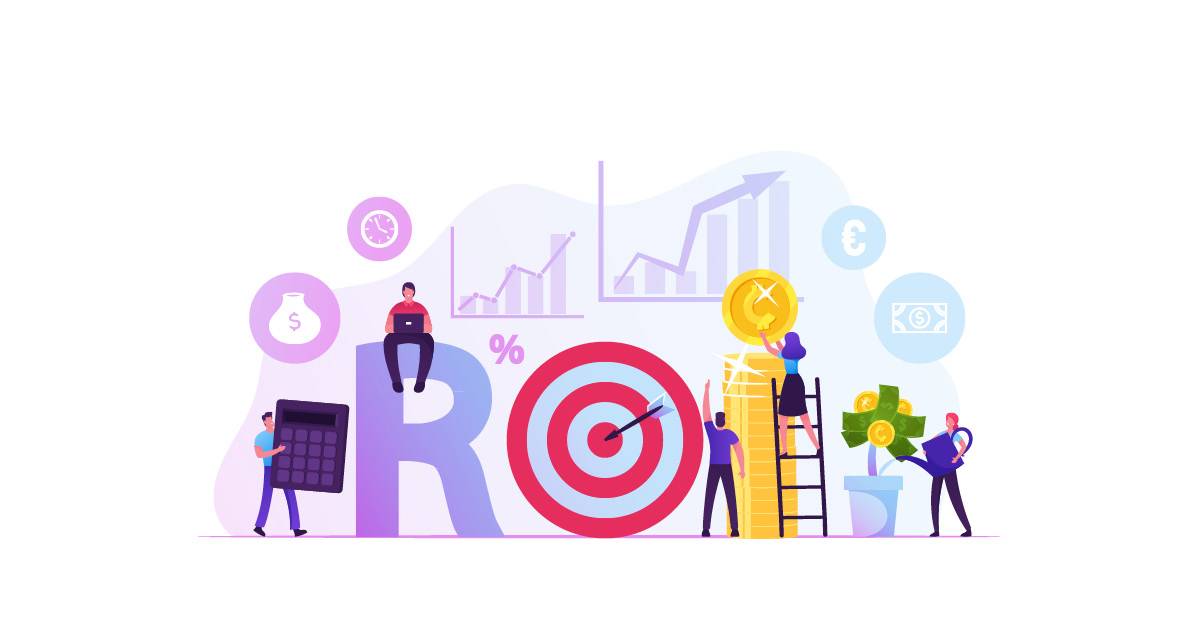
Second, be specific in targeting. Typically, remarketing is done based on page visits to a specific URL. So if someone visits a page for a product or the page to start checkout, they could get an ad for that product or service later. But what about accidental clicks? Or people that already decide what you have isn’t for them? They aren’t going to click an ad later for something they already decided was a no-go. Instead, you can use tools like Google Tag Manager to set events or behaviours, so you could show the ad if someone scrolls down to the bottom of the page, spends at least 10 seconds there, starts to enter their payment details, and so on. You’ll tend to get much better ROI with these methods. But they also take time to set up all these extra steps as well as some technical know-how.

Third, put time limits on your remarketing campaigns. If you search for weight loss pills and then get an ad for some a year and a half later when you’ve already lost all the weight (Way to go!) that’d be quite rude! Facebook uses 28 days for product views and 14 days for adding to cart as their standard, but you can adjust that to what makes sense for your target audience. Google defaults to 30 days and maxes out at 540 days, so choose what works best for your target audience.

How can I set up remarketing?

If you’re keen to try remarketing, there are a few ways that you can do it. One is to get a program to do abandoned cart remarketing for you. There are several options for this, each with their own features and fee structure. You can also set up a Google Ads account and create Remarketing ads. The benefit of Google Ads is that the platform is free to use and you only pay for the ads through clicks/views/etc. But it also has a steeper learning curve and takes an investment of time and energy to learn. Fortunately, the team here at Back9 can help. We have a Google Ads certified team that will handle your remarketing and adjust it to make it more effective over time. We’re also experienced in Facebook Ads and can make highly-targeted audiences so you can get the most from your advertising dollar. Get in touch today to set up a meeting and let’s talk about how to make your site better!
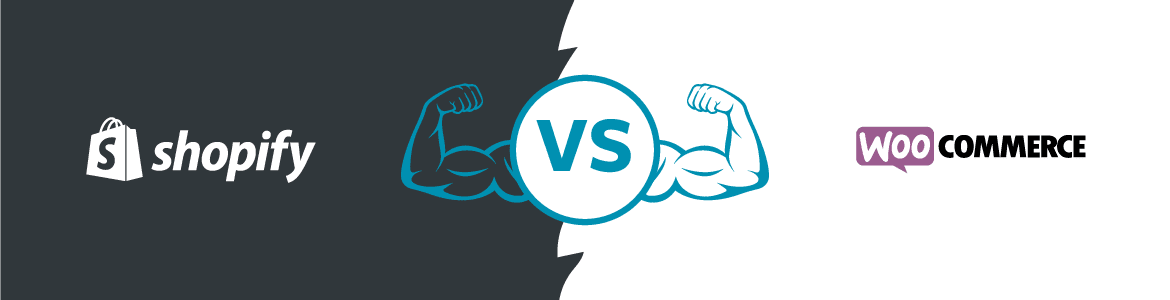
Selling online: Shopify vs WooCommerce, which platform is better?

If you’ve been looking to sell products or services online, you’ve probably heard of Shopify. Claiming to be the “Best eCommerce Software for Your Business”, can this Canadian company back up its statement?

Although Shopify gets its name out there and does plenty of advertising, it’s actually only the 2nd most popular eCommerce platform. So what’s first? That crown rests with WooCommerce, a plugin (a program you can download to add extra features to your website) for WordPress. It integrates easily into any WordPress site.

So in the battle between Shopify and WooCommerce, who wins, and who’s left holding the peel of the second banana?

Shopify

Shopify’s goal is to do the hard work for you when it comes to setting up your online store. One of the biggest benefits of the platform is that you don’t need to have tech skills at all. You can get an online store up in a matter of minutes with their easy-to-use drag-and-drop editor.

However, if you want the edge in getting found on Google through Search Engine Optimisation tools, Shopify’s limit of customisation can hurt you here. Additionally, it can be difficult to export your posts and information if you decide to try out another platform. You can also run into scaling issues if your business starts to grow because there are limited options for customisation.

While Shopify does have a “Lite” plan that’s only $9 USD per month, it comes with practically no features and has to connect to an existing website. Regular plans start at $29 USD per month (and 2.0% fee on all sales). The highest plan tops out at $299 (and 0.5% fee on all sales).

Some other features of Shopify include:

  • Website hosting is part of the package.
  • Drag-and-drop customisation.
  • 24/7 Support.
  • Abandoned cart recovery.
  • Dropshipping/a>options.
  • Unlimited file storage.

When should I use Shopify?

If you’re okay with adding products on your own and want a good-looking, easy-to-use store, Shopify could be a good choice for you. This is especially true if extensive customisation doesn’t worry you.

WordPress with WooCommerce

The best thing about WordPress is that you have endless customisation options to make your store look and act exactly as you want. The bad news… There are endless customisation options. Therefore, web development skills are a must. Learning how to use WordPress like a pro takes time. In fact, some people even make a career out of it!

WooCommerce is a plugin that plays off the endless customisation so you can build a store exactly the way you want. You can have custom products, pages, checkout systems, and sales funnels. Whatever you want can be customised. You’re only limited by the capabilities of the builder. Hence, getting a skilled web developer is important!

However, using WordPress with WooCommerce means that you’ll need to have a WordPress website already. You won’t be able to simply download WooCommerce and get a store ready from nothing the same day. Because of this, it can take some time to get your store up and going. Nevertheless, it will be powerful and versatile once it is ready.

WooCommerce is free to use. It costs nothing to set up. Some plugins, like tracking abandoned carts or suggesting edits to make your website rank better on Google, come with a cost. However, you can pick and choose to get what you want, with plenty of free options out there. To get the best add-ons for your site, it pays to sit down and have a chat with a professional web developer to discuss your options.

Some other features of WooCommerce include:

  • Search Engine Optimisation tools.
  • Free website backup options.
  • Thousands of plug-ins through WordPress.
  • Custom fields for products.
  • Use any payment gateway.
  • Easy integrations with other software.

When should I use WooCommere?

If you want the freedom of customisation, the ability to scale for large operations, and the largest selection of add-ons and plugins, WooCommerce is the right choice for you.

Who’s the winner?

If you want to build an eCommerce website yourself, loads of spare time, and limited tech expertise, Shopify is the winner. For almost everything else, WooCommerce is the winner.

With WooCommerce, you have the endless options of WordPress. This means if you have your site professionally built, it will be completely customised. No one else will have one quite like yours. If you’re looking into doing any advanced features like adding uncommon payment methods or translating your store into multiple languages, WooCommerce gives you the easiest, best, and most options.

Still not sure? Book a FREE website consultation


To find out information on other eCommerce platforms, we have an article you may be interested in Which eCommerce Platform is right for me? 

Selling online – Where to Start with eCommerce?

Online sales and contactless purchases or contactless transactions have become all the rage since the inception of COVID-19, but where do you start if you want to sell online with e-commerce?

We believe if you’re running a business and selling a product, or even a service, it’s imperative that you strongly consider e-Commerce and how you could sell it online? If you think that leap of faith seems too much or is overwhelming, don’t worry. You are not alone. We talk to business owners all the time who are not sure where to start when it comes to e-commerce and selling online.

The best place to start is to understand first and foremost what you want to achieve, and make a plan to achieve that! There are multiple factors to getting set up to sell online. Things like:

The list goes on…

Are all e-commerce platforms created equal?

A lot of people may just think it’s easy to purchase (well, actually license – you won’t own it) a pre-existing templated platform. Platforms such as Shopify, Squarespace or Wix, can be good starting points, but beware! There’s a lot of pitfalls when it comes to these prebuilt, proprietary systems. If you’re tech-savvy with a can-do, do it yourself attitude you may be able to work it out and that’s cool, fill your boots. But if you really want to succeed when it comes to e-commerce and selling online, you may want to think about bringing in an expert. And by an expert, we mean someone with experience, with a proven track record in building, maintaining, and marketing e-commerce websites.

Of course, there are a lot of cowboys out there in the marketplace. From my experience they may have what it takes to put your information into a pre-existing template such as the ones mentioned above, however, simply adding products to a predefined template, does not an e-commerce website, make!

Before you jump in and engage the services of a designer or marketing agency, ask them some (or all) of the following:

  1. How many e-commerce websites have you built?
  2. Do you actively help manage these and/or drive sales?
  3. What sort of return should I expect from an e-commerce website?
  4. What platform do you use for e-commerce?
  5. Will I pay a license or will I own my website?

We’ve written an in-depth article about some of the most popular e-commerce platforms that you can read here, Which eCommerce platform is the best for me?

Which-Ecommerce-Platform-Is-Best

Why choose Back9?

At Back9 we have built and maintain a number of e-commerce websites for a range of clients. We understand what it takes to succeed in this space and you need to be prepared to invest in order to see a return…

A great place to start is with an e-commerce Strategy! This will help you define your objectives, figure out the best platform to use, and how much it will cost. Ultimately how you will market your business online and succeed. We’re here to help and to challenge our clients to visualise their potential.

E-Commerce doesn’t need to be hard or overwhelming. Especially with the help of a virtual marketing department like us.
We can work with you to help bring your story to life, come up with a plan, and put that plan into action. So feel free to get in touch with us and book a Free consultation to see if and how we can help you and your business!

Book a FREE consultation


Conversion Paths and Writing Style

We’ve talked about conversion paths in a few places lately, like on design for conversion paths and a blog explaining conversion paths in-depth. For a recap, a conversion path is every path a visitor takes before taking the desired action like registering, contacting you, or making a purchase. Pretty much every step of most conversion paths involves writing of some kind. It might be the written part of a Facebook post, information on a blog, or a description of a product or service. One important thing to keep in mind with conversion paths is the style of the writing.

You might remember a few different styles of writing in school, like persuasive writing, informative writing, and so on.  If you try to sell to someone who doesn’t even know what your product is, they’ll be unlikely to commit. And reminding someone ready to about the very basics of the product instead of a way to purchase won’t do much good. The video below touches up on a couple writing styles for conversion paths.

Informative Writing

Informative writing is all about teaching and education. For informative writing, you should be writing about something you know about. Imagine a business owner who is a professional painter with 20 years of experience. This person could be considered an expert or authority on the subject of painting. What they say will be more valuable than some guy who threw paint on his wall once. Informative writing can be giving helpful tips, explaining the benefits of a product or service, or refuting bad information or myths that are out there.

Persuasive Writing

Persuasive writing is all about convincing people to do something. A lot of business Facebook pages and conspiracy theory videos are trying to persuade you to do something or stop doing something. Persuasive writing sometimes gets a bad rap for being “salesy”, but that’s only one way it’s used. Those long rants that are usually shared around Facebook with some emotional “tell it how it is” tend to be a kind of persuasive writing too. It’s okay to use persuasive writing; especially when someone needs that little extra convincing!

Which writing style is right for a conversion path?

That depends on what your goal is for the specific conversion path. And you can have several different paths with different writing styles for one website. One path might be informing someone on Facebook about what you do. Then that link could go to a form that they fill out to get an eBook with more information. Since these people are still researching, getting information might be most important. They may not be ready to buy yet, but maybe after learning more!

Other conversion paths might be directed towards people that want to buy something. Email newsletters with discounts can use a persuasive writing style to convince someone to buy something now. Or you might just want to convince them to come and meet with you in-person.

There are plenty of opportunities to use different writing styles in your conversion paths. If you want to learn more about this, feel free to get in touch with us and let’s talk!

Design for Conversion Paths

Design for Conversion Paths

Conversion paths are the series of steps that a visitor takes before converting and becoming a lead or making a purchase. There’s a lot of elements that go into making a conversion path effective, and one of these is design.

Here at Back9 Creative Studio, we create custom websites because they offer a lot of advantages. A custom design lets us plan from the very beginning how to use design to accomplish your goals.

Planning is key

Before doing any kind of design or building the website, you need to define and plan what your goals are. Do you want to sell products straight from the website? Do you have services and want people to get in touch with you by filling out a form or making a call? The more detailed your plans, the more targeted your conversion path can be and your design will reflect that.

What kind of design elements help with conversion paths?

There are a lot of different design elements that can help customers get through your conversion paths and some might of them may be specific to you and your goals. But there are some common things that are effective.

  • A typeface and font that is easy to read. Text that’s too small can be difficult for some people to see. Font choice should also prioritise readability, especially if the site will have a lot of written text.
  • Using your brand colours. Your colours are an important part of your brand, and those colours will be used to accomplish different things to help customers along the conversion path.
  • Let images paint a picture. Images are more engaging than text alone. These don’t necessarily have to be photographs either. Icons are another good way to guide visitors through the conversion path.

By knowing what you want your customer to do, you can use design to help visitors through the conversion path and give you the leads and sales that you’re looking for.