Custom Builds and Growth-Driven Design (GDD) Lead the Way
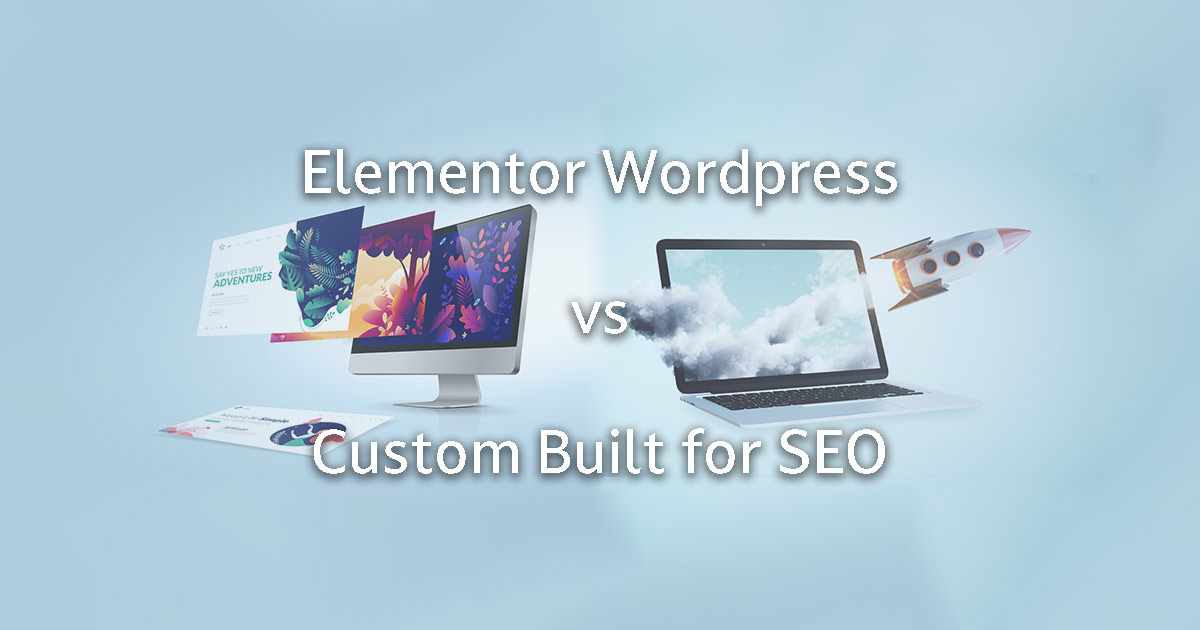
When building a WordPress website, one crucial decision is choosing between Elementor and a custom-built theme. While both options have distinct advantages, custom-built themes consistently emerge as the superior choice—especially when paired with a Growth-Driven Design (GDD) approach. Traditional web design is broken, often running over time and budget. GDD fixes this by focusing on continuous improvement, user insights, and iterative enhancements, making it the best approach for any website. Ultimately, it is important to compare Elementor v Custom themes to find the best fit for your needs.
How Do You Even Know What a Web Company Is Using to Build Your Website?
Not all web development approaches are created equal. So, how do you know what a web company is actually using to build your website?
Start by asking the right questions:
What platform do you use to build websites?
Do you rely on pre-made templates or themes, or do you create custom builds from scratch?
These questions will help you understand the level of customisation and performance you can expect. Let the buyer beware—some companies may cut corners with pre-made solutions that limit flexibility and scalability. Compare Elementor v Custom approaches to see which better meets your expectations.
Additionally, use tools like BuiltWith.com to discover the technology behind any website. For WordPress sites, WordPress theme detectors such as WP Them Detector, can reveal which themes and plugins are in use. This information empowers you to make informed decisions and avoid potential pitfalls in the Elementor v Custom debate.
On the other hand, custom-built themes provide lean, efficient code. Developers load only what’s necessary, reducing HTTP requests. As a result, these sites typically load faster. With fewer plugins and less bloat, performance optimisation becomes more straightforward. A GDD approach enhances this further by prioritising speed improvements and user feedback from day one. When considering Elementor v Custom, speed and performance are crucial factors.
SEO Optimisation
SEO is essential for visibility. Elementor supports SEO-friendly design, but its extra code can sometimes make it harder for search engines to crawl efficiently.
Conversely, custom-built themes can incorporate SEO best practices from the start. With clean code and semantic HTML, search engines can crawl and index pages more effectively. This direct control allows for higher search engine rankings without relying heavily on plugins. A GDD strategy ensures SEO enhancements are continuously applied, driving better long-term results. So, consider SEO when comparing Elementor v Custom options.
Flexibility and Scalability
Elementor excels in flexibility, especially for non-technical users. It allows easy drag-and-drop editing without coding knowledge. However, customising complex features may require additional code, leading to potential inefficiencies.
A custom-built theme offers unmatched scalability. Developers tailor every aspect to meet specific project needs. As a result, adding new features and scaling the site becomes seamless and efficient. Combined with GDD, custom-built themes adapt to evolving business needs through iterative improvements, ensuring sustainable growth. Hence, in the Elementor v Custom debate, scalability should not be overlooked.
Maintenance and Updates
Websites need regular updates. Elementor sites might experience issues when plugins or WordPress core updates occur. Compatibility problems can arise, requiring additional troubleshooting.
In contrast, custom-built themes, with fewer third-party dependencies, are less prone to such issues. Maintenance becomes more predictable, ensuring a smoother update process. The GDD methodology adds value by making updates part of a strategic plan rather than a reactive task. Therefore, Elementor v Custom should be evaluated for maintenance ease.
Which Option Should You Choose?
While Elementor provides rapid deployment, visual editing capabilities, and budget-friendly solutions, custom-built themes are the best all-round option. They deliver superior performance, SEO benefits, and long-term scalability. This isn’t just for larger businesses—any website can benefit from a custom build, especially when following a GDD approach. GDD ensures continuous improvement based on user data, keeping your site aligned with evolving goals. When facing an Elementor v Custom choice, these factors are pivotal.
Final Thoughts
Traditional web design often fails, exceeding budgets and deadlines without delivering lasting results. The combination of a custom-built theme and a Growth-Driven Design (GDD) approach breaks this cycle. GDD focuses on iterative improvements, user experience, and data-driven decisions. It turns your website into a powerful digital asset that grows with your business. Ultimately, optimising for speed, SEO, and user experience through a GDD methodology ensures your site thrives in the competitive digital landscape.
Before you choose a web development partner, ask the right questions, use tools like BuiltWith.com and WordPress theme detectors, and ensure you’re getting a solution that will truly support your growth. Choose wisely, and with the right approach, such as GDD, you could watch your website become a growth engine. And ultimately an ever-evolving competitive advantage in the Elementor v Custom decision.
Elementor is a well-known WordPress page builder, celebrated for its user-friendly drag-and-drop interface. But when it comes to Elementor and SEO, does using Elementor make things trickier? It’s a question many WordPress users ask. While Elementor can be SEO-friendly with the right techniques, it’s worth considering that custom-built WordPress sites often offer superior SEO performance. Custom builds provide cleaner code, faster loading times, and greater flexibility—factors that search engines love. In this article, we’ll explore the relationship between Custom WordPress vs. Elementor and SEO, highlighting the nuances and why a custom-built WordPress site might just have the edge.
Calrifying Elementor and SEO
There’s no doubt, Elementor can allow users to potentially build stunning websites without touching code. However, some believe that this convenience may come at a cost to SEO. Custom-built WordPress sites, by comparison, can be optimised from the ground up with SEO in mind—offering leaner code and faster performance. While Elementor doesn’t inherently make SEO harder, it often requires extra effort to ensure optimal website performance. Search engines favour clean, fast-loading websites, and Elementor’s additional layers of code can sometimes slow things down. That said, with careful implementation—such as reducing unnecessary widgets and optimising images—Elementor can still support solid SEO outcomes. But if SEO performance is a top priority, a custom build might provide a smoother path.
The Core of Elementor SEO Optimisation
Optimising SEO with Elementor involves leveraging its tools effectively. However, custom-built WordPress sites typically excel in this area, offering: Cleaner code output for faster indexing, Improved page speed with fewer dependencies, Tailored SEO structures for better search engine visibility. Elementor does provide SEO-friendly features like responsive design and integration with SEO plugins. Yet, these features can sometimes be more efficient and robust when implemented in a custom-built environment.
Understanding the Impact of Page Builders on SEO
Page builders like Elementor are popular for their simplicity, but this convenience can add complexity behind the scenes. Elementor-generated code, while clean by page builder standards, is still bulkier than custom-built alternatives. Loading speed, a critical SEO factor, can suffer as a result. While Elementor allows for optimisation, custom WordPress sites naturally load faster due to their streamlined architecture. Additionally, mobile responsiveness—a non-negotiable for SEO—is more predictable in custom builds where every element is crafted with performance in mind.
Elementor’s SEO Widgets and Features
Elementor offers an impressive range of SEO-friendly widgets, such as image galleries and text editors that support keyword optimisation. However, custom-built WordPress sites provide greater flexibility for implementing SEO best practices without the overhead code that often accompanies page builders. Moreover, while Elementor integrates well with popular SEO plugins like Yoast, these tools can be more seamlessly integrated into a custom framework, further boosting SEO performance.
Technical SEO: The Foundation for Elementor Sites
Technical SEO underpins successful websites. With Elementor, maintaining page speed and clean code requires deliberate action. Elementor’s codebase, while optimised for a page builder, still introduces elements that custom builds can avoid altogether. Key technical SEO considerations include: Optimised page speed: Easier to achieve on custom builds due to leaner code. Mobile responsiveness: More flexible in custom development. Structured data: Simpler to implement and customise without third-party layers. While Elementor does a commendable job for a page builder, a custom WordPress site allows for more precise control over these critical SEO elements.
Page Speed and Clean Code in Elementor
Slow-loading sites frustrate users and rank poorly on search engines. Elementor’s code, while efficient compared to other builders, can still slow things down when compared to custom-built sites optimised from scratch. Custom builds have the advantage here, offering: Minimalist code that reduces server requests, Faster loading times leading to lower bounce rates, Tailored scripts without unnecessary bloat. If top-tier page speed and SEO performance are non-negotiable, a custom-built WordPress site is likely the superior choice.
Mobile Responsiveness and Structured Data
Mobile responsiveness is essential for SEO success. Elementor offers responsive editing tools, but custom-built WordPress sites provide more control over responsiveness without relying on additional styling layers. Similarly, implementing structured data—crucial for rich snippets and better search visibility—is simpler and more efficient on custom builds, where you can directly influence how search engines interpret your content.
On-Page SEO Strategies with Elementor
Elementor provides robust tools for on-page SEO, including easy heading structure adjustments and multimedia integration. However, custom-built WordPress sites allow for more refined control over these elements, ensuring every detail is perfectly tuned for SEO. Strategies such as: Clear heading hierarchies, Natural keyword integration, Optimised multimedia use are more straightforward and effective in custom builds, where there are no underlying constraints from pre-designed builder frameworks.
The Synergy Between Elementor and SEO Plugins
Elementor works well with SEO plugins like Yoast, offering real-time SEO insights. However, when paired with a custom-built WordPress site, these plugins operate in an even more optimised environment—free from the extra code and potential conflicts that page builders can introduce. The result? Faster performance, cleaner code, and better overall SEO outcomes.
Avoiding Common SEO Pitfalls in Elementor
While Elementor can be SEO-friendly, common pitfalls include: Slower loading times due to extra code layers, Less flexibility in advanced SEO customisation, Potential performance bottlenecks with complex designs. Custom-built WordPress sites avoid these issues by design, providing a clean slate tailored precisely to your SEO needs.
Ensuring SEO-Friendly Templates and Themes
Choosing the right theme is vital for SEO. Elementor-compatible themes are often designed for flexibility rather than performance. In contrast, custom-built themes can be crafted specifically for speed, responsiveness, and SEO optimisation.
Conclusion: Elementor vs. Custom WordPress for SEO
Elementor doesn’t inherently make SEO harder. However, for those who prioritise peak SEO performance, custom-built WordPress sites hold a distinct advantage. With leaner code, faster load times, and greater flexibility, custom builds provide the ideal environment for robust SEO strategies. While Elementor offers a strong starting point, especially for those who value speed of development and ease of use, custom WordPress development remains the gold standard for those who want to dominate search rankings.
If you own a website, you’ll more than likely be asked to pay for website hosting. If you have a proactive provider, then even website maintenance and hosting services. But what exactly are you paying for? In this article, we’ll break down the basics of website maintenance and hosting so that you can understand what website maintenance and hosting involve…
What is Website Maintenance?
Website maintenance is the process of keeping your website up-to-date and running smoothly. This may include tasks like updating your content, ensuring that all links are working, and fixing any broken code. Website maintenance also encompasses security measures like installing updates and patches to protect your site from hacking attempts.
Why is Website Maintenance Important?
There are a few reasons why website maintenance is important. First, it ensures that your website is always up-to-date with the latest information. This is important for both SEO purposes and for providing visitors with accurate information about your products or services. Secondly, regular website maintenance can help prevent security breaches by keeping your site patched and updated against the latest threats. Finally, maintaining your website on a regular basis can help catch small issues before they become big problems.
How Much Does Website Maintenance Cost?
The cost of website maintenance varies depending on the size and complexity of your website, as well as the frequency with which you need updates. In general, you can expect to pay anywhere from $50 to $500 per month for website maintenance services. Add to that SEO services or Search Engine Marketing like Google Ads and the cost can go up considerably. You should understand that this not so much a cost as it is an investment.
What is Web Hosting?
Website hosting is a service that allows your website to be accessible to internet users 24/7. When you host your website with a company, they provide you with space on their servers where you can store your site’s files. When someone types in your URL, their computer will connect to the server where your site is hosted and retrieve the files in order to display them on their screen.
How Much Does Hosting Cost?
The cost of web hosting varies depending on the type of hosting plan you choose and the features you need. Shared hosting plans, which are the most basic and affordable set-and-forget type of plans, may start at around $8 per month. More robust plans like VPS or dedicated hosting can cost anywhere from $50 to $200 per month. Here is a more comprehensive article about how much web hosting costs
Maintaining any tool comes at a price
Website maintenance and hosting are two important services that all businesses should not only consider but employ if they want their websites to be successful. Both services come with a monthly fee, but the cost is generally worth it when you consider all that goes into keeping a website up and running smoothly. If you’re not sure whether or not these services are right for your business, we recommend talking to a web development professional who can assess your needs and make recommendations accordingly.
While getting your customer to choose you is a huge step, you can still trip at the finish line if your checkout experience doesn’t work as expected. There are a few steps to this including shipping that can cause a customer to reconsider. Most people ask What is the best eCommerce platform for my business? That is definitely important! However, one that sometimes gets overlooked is payment methods. In this article, we cover some of the most popular payment methods in New Zealand so you can decide which ones would be best to include for your site. Keep in mind that in order to accept these payment methods, they must be compatible with your payment gateway.
What’s the difference between a payment gateway and a payment method? Payment gateways are the systems that securely process transaction data. They allow payment details to be sent safely between you, the customer, and the financial institution. For more information on Payment Gateways and a comparison of top options in New Zealand, see our article Best Payment Gateways for Selling Online.
Payment methods are where the funds come from. It’s where the money resides so that you can get paid as a merchant. There are a few main payment methods in use. Debit cards, credit cards, digital wallets, bank transfers, and third-party. When choosing a payment gateway, one of the most important parts is ensuring it takes the payment methods you plan on having.
We’ll break down some of the most popular payment methods so you can decide if they’re important to include on your e-commerce website.
Debit and Credit Cards
Debit cards link directly to a financial institution like a bank or credit union. Direct Debit pulls funds directly from the account linked to a debit card and transfers the payment to the merchant. Since New Zealand banks phased out traditional cheques in 2021, debit checks have taken their place and now support millions of transactions nationwide every day.
Credit cards let users borrow money to make a purchase. Merchants receive payment immediately, while the cardholder repays the amount over time—usually in instalments—with interest. Because nearly everyone uses either a credit or debit card, all major payment gateways support them by default.
In New Zealand, Mastercard and Visa dominate the market and are accepted almost everywhere. American Express (Amex) also sees widespread use. Some banks and providers offer specialty or private-label cards, but most of them still operate on one of these three major networks.
Digital Wallets
Digital wallets let you transfer money to an online account. You can then use the funds in that account to make purchases when the payment method is accepted. Digital wallets are a cash alternative that are gaining in popularity. One of the biggest advantages of digital wallets is their fast pay option, where someone can buy a product directly from the product screen and skip checkout altogether–as long as the option is put in place by your web developer.
Apple Pay
Apple Pay is a replacement for physical cards that works only with Apple devices. Using Apple Pay lets you add a debit or credit card directly to your device and works where Apple Pay is accepted or where touchless payment like Paywave is an option. You can also add limited funds to your wallet if you prefer. Online, Apple Pay speeds up checkouts because it has all of your information stored so you can pay in seconds instead of minutes.
Google pay
Google Pay is Google’s answer to Apple Pay and works on both Android and Apple devices. It works similarly by allowing you to add cards or add a specific amount of money to use. The Google Pay API lets you create and add a Google Pay button easily to your website if you want to include it as a payment option.
PayPal
PayPal works both as a digital wallet and a payment gateway. As a payment method, PayPal can connect to your bank or you can add limited funds to a PayPal wallet.
There are other digital wallets available that aren’t as widespread. Samsung Pay lets you add credit, debit, gift cards, and membership cards with a photo. Masterpass is Master Card’s version for Westpac accounts. Some Fitness Trackers also have payment options without the need of a phone or wallet, like FitBit Pay and Garmin Pay.
Buy Now Pay Later Payment Methods
A buy now pay later payment method works similarly to a credit card. You authorise the purchase at the store and then a company pays the cost immediately. Then, you pay back the company instalments over time. These payments may include interest or may be interest-free depending on the specific payment method you choose.
Afterpay operates as a major provider of this service in New Zealand. When a customer makes a purchase using Afterpay, the merchant receives the full amount upfront. The customer then repays the total in four fortnightly instalments. As long as those payments stay on track, the customer pays no interest or fees.
Retailers, however, do incur a cost. Since Afterpay doesn’t charge the customer interest, it earns revenue by applying a fee to the retailer. This fee usually includes a flat charge of about $0.30 per transaction, plus a percentage—typically between 4% and 6%. To get the exact rate, you’ll need to contact Afterpay directly.
There are several other NZ companies with a similar business model. Genoapay breaks down the cost over 10 weekly payments. Laybuy and Zip both do it in 6 weekly payments. None of these companies charge any interest upfront, meaning the retail pays a small charge when the payment method is used.
Direct Bank Transfer
Direct Bank Transfer is when the payment is taken directly out of a bank account. There are no debit cards, wallets, or anything else needed. Because the funds come directly from the account, transfer speed is quick and only works when there is enough in the account. Refunds can also go directly into the account.
Polipay is a popular option for direct transfer in New Zealand. When customers use PoliPay, they log in to their internet banking account through a secure window. They then select the account they want to pay from, and PoliPay processes the payment instantly by withdrawing the funds to complete the purchase.Merchants have three pricing schemes to choose from, with costs ranging from $0.50 to a maximum of $3 per transaction.
Account2Account offered by Windcave, provides a similar payment option. It works as an alternative to credit or debit cards and is perfect for one-off payments where users need to deposit funds quickly without using a credit card. Supported banks include ANZ, ASB, BNZ, Kiwibank, The Co-operative Bank, TSB, and Westpac. Account2Account charges 1.2% per transaction up to a maximum of $3.
Connects to a wide range of debit and credit cards, Can add money manually, Pay in store or online, one click purchase, card number not shared, advanced encryption security
Connects to a wide range of debit and credit cards, Can add money manually, Pay in store or online, one click purchase, card number not shared, private purchases, advanced encryption security
Works with most EFTPOS terminals including some without contactless options, Can add gift and membership cards, Fast app checkout, advanced encryption security
ANZ, ASB, BNZ, Kiwibank, The Co-operative Bank, TSB, Westpac
Connects directly with bank accounts, Settlement based on bank times, No customer fees, Pay now button, API Integration, Checkout from shopping cart,
Which payment methods should I accept on my site?
Depending on your business, you may want to prioritise some methods of payment over another. You should accept credit and debit cards at a minimum. Nearly everyone has access to one and expects it as an option when shopping online.
We also think it’s a good idea to choose one of the buy now pay later options. These are popular options among kiwis and having at least one as an option can help you increase your average order value.
If you have more payment methods available, you’re more likely to have a customer’s preferred payment method which can simplify check out. A good checkout experience can help you retain customers and get repeat business. If you’re thinking of having a specific payment method on your site, make sure it’s compatible with your payment gateway.
So you have your products. You have an e-commerce website or are planning to get one. Either way, once you sell your products online, how are you going to get your products to your customers? You have two main options for this; let your customers buy online and come and pick it up from you, or ship it out to them. Finding an e-commerce shipping solution can be one of the most complex parts of selling online, so how can you make it easier for both you and your customers?
In order to get your online store ready for the customers, you need to pick a shipping option and a freight method for actually delivering the product to your customer.
Pre-shipping checklist
Before deciding on what to charge the customer for shipping, you need to find out how much shipping will cost the business. This will depend on the carrier you choose. You’ll also need to decide on packaging and labelling.
Shipping costs to the business
Even if you decided to offer free shipping, that free shipping won’t be free to you. There are many options for couriers in New Zealand such as Post Haste, Mainfreight, NZ Post, and New Zealand Couriers. No matter which company you go with, shipping is charged based on weight and dimensions–or what can fit in a package. Most companies will have a shipping calculator to easily calculate rates. Many have it as an API–meaning you can have these costs shown directly on your website if you plan on passing them directly to the customer.
As a business, you’re eligible to get discounts and additional services from many freight companies. They can also pick up your parcels for delivery on a regular schedule at your business. With the right setup, you can have tracking emails sent automatically too.
If deciding on courier options is overwhelming, a freight service like parcelpost or gosweetspot can help. These services have updated rates for their partner couriers and calculate freight fees in real-time. They can help you get the best value company for your specific item based on shipping time, cost, and extras. Of course, there’s an additional cost to use the service but some businesses will save in the long run because of the option to use different companies for different items.
At a minimum, expect to spend around $5 to ship a product to a customer, with increased costs depending on product dimensions.
Save out your product dimensions
When you add a new product to your store, one of the first things you should do is save out the dimensions. If you have a good Inventory Management system you can add them there for easy storage and safekeeping. Some will even calculate shipping for you based on your chosen freight providers.
If you don’t, you’ll need to record these details somewhere and keep them in a database. It will likely take some time to get this done for all your products. But doing it upfront can save you time when it’s actually time to order, since you won’t have to weigh out your products and make sure you choose the right size parcel.
Packaging and labelling
Many freight companies let you get boxes directly from them. As the boxes may be sized according to their pricing model, this is often a strong option for businesses to consider. It’s also the most straightforward option.
However, you don’t have to use boxes from the company. Some businesses have a steady supply of boxes on hand that they can reuse without having to pay for more.
On the opposite end, you can go all in and get custom-branded boxes and packaging. Companies like The Box Business,Fast Printing, and r3pack offer customised boxes and/or packaging you can use when shipping products. These costs can add up quickly, and aren’t ideal for every business, but can be an excellent way to get more branding out there and help your business to look more professional.
Most freight companies have specific instructions on how to label your items for shipping. You’ll need to follow these directions precisely to ensure the package can be delivered properly.
However, you can also add a label for your business if you’d like. You can make these yourself or use a service like vistaprint for custom stickers. These can be used as labels or as a more affordable way to brand your items compared to fully-branded boxes.
What are my options for shipping?
Once you have the costs of shipping for the business, you need to decide how much of that to charge the customer. There are three main types of ways to ship items: You can do free shipping, you can do flat-rate shipping, or you can charge based on the dimensions and weight of the product. Each e-commerce shipping solution has its own advantages and disadvantages and the right option for you depends on the type of business and its goals.
It’s crucial that you take the time to properly decide which option to go with. Nearly half of people will abandon their purchase if unexpected costs at checkout are too high. When people do abandon a cart for whatever reason, almost 60% say it’s because of high shipping costs. While it might make sense to pass on these costs to your customer, it isn’t always in your best interest as you can lose a lot of sales. If high shipping costs are necessary, we’ll cover some ways to make these more expected to avoid sticker shock.
Free Shipping
Free shipping is the customer’s favourite! In fact, one survey showed that for 90% of customers, free shipping was the best incentive you can get when buying online. But if it costs the business several dollars on each sale, those sales can add up quickly–and the business can even take a loss on small-value transactions.
There are a couple of ways to combat this. One way is to increase the item price. You charge more for each item to help cover the shipping costs. On smaller items you may still have to eat some of the costs, but the larger orders should make up for it. While it may seem counterintuitive, one study showed that free shipping (worth $6.99) was considered more valuable than $10 off the product. Keep in mind this is in the US where services like Amazon Prime have made free shipping the norm, but the point remains that many customers see shipping costs as an extra fee instead of something that adds value. However, adding to the cost of the item is only ideal for e-commerce only stores; some customers are sure to cry foul if they find your in-store prices are cheaper than online.
Free shipping with minimum order
Another option is to add free shipping for orders over a certain amount. This works two-fold; first, it helps stop the business from losing money on small sales. Second, it helps persuade some customers to spend more on your store. If their original order is $68 and they can get free shipping over $75, a lot of people will decide to get more from you to qualify for free shipping. And that might be another $15-20 instead of the bare minimum to qualify.
Many e-commerce platforms can handle this for you automatically if you want to go this route. You simply find where to tell it the minimum order amount for free shipping and it will update the cart automatically once an order exceeds that amount.
How do you decide your free shipping threshold?
A major challenge for many businesses is finding the sweet spot for the free shipping threshold. If you put it too low you risk having to absorb those costs. If you put it too high, it won’t be enticing for customers. So how do you find the right amount?
The sweet spot is different for each business. It depends on your average order value, average shipping costs, and your margin. An article from the Fulfillment Lab goes into threshold calculations in more detail, but the formula comes down to this:
Put in a number you think is reasonable for free shipping. Subtract your average order value from that amount ($100 (Free Shipping) – $75 (Average order value) = $25)
Multiply that number by your margin ($25 * 0.50 (Your margin) = $12.50)
Subtract that number from your average shipping cost ($16 (Average shipping cost) – $12.50 = $3.50)
That final number ($3.50) is the estimated cost to your business per order for offering free shipping. Ideally, you would want it to be a few dollars. If it’s a negative value, your minimum order is probably too high; if you start getting near $10 it’s probably too high. It may take some refining, but free shipping can work in your favour by enticing people to buy more!
Flat rate shipping
With flat rate shipping, you charge a flat rate for shipping on every order. There are no calculations required; shipping costs are the same every time and help you make some of the costs back. In New Zealand, flat rate shipping is a tad more complicated. You’ll usually see four different flat rates: Urban on the same island, rural on the same island, urban on the other island, and rural on the other island.
As this is a normal practice in the country, your customers won’t be surprised to see it. But if you want to go that route, how can you make sure your customer chooses the right option? The easiest way is to have this determined automatically. If you’re using or plan to use a WooCommerce website, you can download the plugin NZ Shipping Zones for WooCommerce plugin. This e-commerce shipping solution was developed by Kiwi web developer Daniel Shaw and takes data from NZ Post’s Postcode Listings for Rural Deliveries. It’s a huge time saver, especially when combined with something like the NZ Post addressing API that auto-fills and corrects addresses based on what NZ post has on file. With this combination, customers simply start typing their address and choose it from the autocomplete list, then the appropriate shipping is chosen automatically.
Flat rate shipping is convenient because customers don’t have to worry about calculating shipping costs. As long as you make it clear what the prices are upfront, customers can browse your shop without getting hit with an unexpected charge later on.
How do you decide on your flat rate price?
There’s no question that flat rate shipping is convenient and easy to use for customers. But how do you make it easy for the business and charge an appropriate amount?
If you’ve already found the shipping costs to the business, you’ll be better set to decide how much of the cost to pass on to customers. Some businesses do it so that small, low-value orders actually make money for the business with flat rate shipping. This helps balance out orders with larger items that will cost the business more.
Other companies keep shipping rates lower to cover some of the cost of shipping. This method covers more of the cost than free shipping but customers with low-value orders may go elsewhere if they think shipping is too high. Some do flat rate except for oversized items, which have calculated shipping. Just make sure to let customers know as soon as possible if their item incurs extra shipping fees.
Calculated Shipping
Calculated Shipping is the easiest way to make sure your costs are covered and that the customer won’t pay more for shipping than the service actually costs. While this is a straightforward way of doing it, it’s also the most likely way that customers will abandon their purchase.
Again, this comes down to expectations. With calculated shipping, visitors can only guess at what the cost will be; if it’s too much higher than they think they’ll probably look somewhere else for the same or similar product. If your items are small and light, calculated shipping can be a good option for everyone. It might be cheaper than flat rate for you and you can pass those savings on to the customer.
Likewise, if you have very large items like heavy appliances, customers won’t expect that to be sent over for a $5 shipping charge. You’ll likely need to work with a freight company that specialises in large packages like Mainfreight or FedEx Express. Depending on the item, you may need to reduce the price on these large items for shipping as well–often customers aren’t thrilled to find out shipping costs more than the product!
Local pickup
If you want to avoid shipping altogether, you can have local pickup only. This is a good option if you already have a strong presence in your local area. So why do this at all instead of having people come to the store to purchase?
Selling online with local pickup offers a few advantages. One of the biggest is that people can shop anytime. According to SaleCycle, the peak time for shopping online is between 8 and 9pm. People are at home and settled in, ready to shop. If your business is available to sell products for these hours, you might pick up some sales. Even if they can’t physically pick it up until the next day or later, by being available when people are shopping you open yourself up to more local sales.
Combining local pickup and delivery
Even if you decide to include a delivery option, also having local pickup may be a good decision. One benefit of doing this is that some people prefer to take it slow and go through your inventory at their own pace. Even if you aren’t pushy in person, for some it’s a better experience to search through your inventory at their own pace out of the store.
Some locals might prefer online shopping but would rather stop in and pick up their order instead of paying for shipping. Or they might be looking for a particular item and want to make sure you have it. Checking online is much more convenient than dropping by to see, and some will go with someone else instead of taking the risk. Having the pickup option makes it simple for them, and you can save on packaging and freight at the same time.
While you can get more sales by including local pickup if it’s viable, you’ll greatly limit your potential for reaching new customers if you don’t include another shipping option. You may have people keen for what you have to offer on the other end of the country. And, with tools like Facebook ads and Google ads, it’s easier than ever to reach people wherever they are.
How do I set up shipping on my website?
Once you’ve decided on a shipping method, you’ll need to enable it on your website. This process will be different depending on which e-commerce platform you use. Most of them will have a “Shipping” tab or have options for Shipping within the settings when you log into the website. The best way to set up shipping is to find the resource written by the platform. Here are some instructional guides for the most popular platforms in NZ:
After setting up shipping, make sure that your costs and expenses are well-balanced. The only way to know for sure if you set appropriate charges is to try out your strategy with customers. You might find out that your charges or free shipping threshold are too high. Or that they are too low and nobody ever qualifies. Depending on the results, you have several options you can try. You can try engaging a small base of customers with free shipping discount codes. Or offer a percentage off for regular ordering or subscriptions. Or you might want to consider changing carriers if they aren’t meeting your expectations. Once you get everything working and find the best e-commerce shipping solution, delivery simply becomes a normal part of business–only now you can have customers over 1000km away!
Have you ever been to a website, found the product you want, but then there was no way to buy it? It can be a frustrating experience. Buying online is becoming more and more popular each day. If you can sell online, you should be! However, it can be complicated to set up an e-commerce website, and there are a few things you’ll need to do to get ready. But it will be worth it when customers can buy straight from your site! One thing you’ll need to sell products online is a payment gateway.
A payment gateway is a system that accepts securely accepts payments without putting your or your customer’s data at risk. There are many payment gateways available, and all of them come with at least a small cost. Some charge a monthly fee while others charge a percentage of the transaction cost. While it may seem expensive to have to pay out for each transaction, it would cost you a lot more to take payments in an unsecured method.
Many of the top payment gateways do more than just take payments though. Some offer reporting and invoicing, while others have a customisable checkout page you can add to your website. In this article, we’ll compare 8 of the best payment gateways in New Zealand: PayPal, Windcave, Stripe, Paystation, Cybercom, Paymark Click, Bambora, and Flo2Cash.
How do payment gateways work?
If you’re worried about some malicious hacker stealing your credit card details because you put them online, the chances of that are extremely low. Every payment gateway in our list is secure and encrypted. This means that the data you enter is mixed up and can’t be intercepted. It also means the store you enter your information into doesn’t have your payment data. They may be able to send a request to charge a card they have on file in certain circumstances, but they couldn’t take your information and buy a first-class international flight and a 5-star hotel in Dubai.
What a payment gateway does is verify that a credit or debit card is valid and that there are funds available. Then, it securely transfers the customer’s funds into the merchant’s account. Think of the keypad processors from shops where you swipe/insert your card and type in a PIN. A payment gateway is the digital version of that!
Many Payment Gateways start by storing your funds in a Merchant Account. This is a temporary place where the money is stored until the transaction is approved successfully. Once it is approved, you can transfer the money out of that account into the bank account of your choice. Different payment gateways hold funds for different lengths of time and some require a minimum threshold before they allow a transfer.
Payment gateways are a middleman that protect both sides. Merchants are protected from fraud and chargebacks, and customers are protected from unwanted purchases and exposing their card data. For more information about Payment Gateways including the technical details, take a look at this article from emerchantpay, What is a payment gateway and how does it work?
Choosing the right payment gateway
It’s important to use the right payment gateway for your business. Because of the sensitive nature of payment details, you need a system that’s safe and reliable. As a result, you’re better off sticking with an established company. The Payment Gateway should have a solid track record without fraud or scandal.
To help you decide the right option for your situation, we have a list of highly-rated payment gateways available in New Zealand. Each of these has many New Zealand clients and are stable, secure, and user-friendly.
PayPal
PayPal is an international company that does business in over 200 markets around the world. As they’ve grown, they’ve acquired many other platforms including Braintree, Venmo, and Xoom.
Features of PayPal
As one of the largest international payment gateways, PayPal has scale on their side. Millions of people around the world use the system and it’s easy to integrate with most e-commerce platforms. Merchants can receive money in over 100 currencies, which Paypal can also convert to a different currency for your bank account.
One of the benefits of PayPal is that you and your customers can access it anywhere online including a dedicated mobile app. Funds can be transferred easily from a merchant account to a bank account at anytime, with transfers to a bank typically being 1-2 days. PayPal also allows for subscription payments and can send invoices and estimates as well.
PayPal pricing
There are different PayPal charges and fees for different markets. For New Zealand, it is a fixed fee of $0.45 + 3.4% per transaction, with a maximum cost of $20.00 for domestic transactions and $120 for international. Customers pay no fee to use PayPal.
Who is PayPal right for?
PayPal is an excellent way to open your business to international customers or if you need a quick and easy solution that is compatible with a wide range of users.
Windcave
Windcave (formerly Payment Express) is a New Zealand payment gateway that combines e-commerce and in-store solutions.
Features of Windcave
Windcave is a popular option for point-of-sale devices and many merchants use a Windcave PIN pad in their store. They have physical terminals available in-store and for unattended systems like parking lots and vending machines. With options for e-commerce, in-store, or both, Windcave is a versatile option.
Windcave offers many solutions for e-commerce, including automated phone payments. Customers without computers or methods for paying online can do so via the automated system instead. It integrates simply into most major e-commerce platforms including WooCommerce, Shopify, Magento, and more. It can take payments from many major credit/debit cards as well as an Account2Account. Funds transfer speed is typically overnight.
Windcave pricing
Windcave charges a one-time setup fee of $99 and a $30 monthly service fee. From there, transaction costs are between 1.2% and 3% depending on the payment method used.
Who is Windcave right for?
Windcave is a good choice if you have a brick-and-mortar store (or plan to have one) and also want an e-commerce option.
Stripe
Stripe launched in 2011 and has grown to have global offices around the world. They have millions of users including Microsoft, Amazon, and Google.
Features of Stripe
Stripe emphasises e-commerce and focuses their efforts there, although they do also have a terminal system available. Along with their Payments platform, they have many other apps that can work alongside it including Radar for fraud and risk management, Identity for identity verification, and Sigma for custom reports. Stripe is cloud-based, so you can access your account anywhere you have internet access.
Stripe has a checkout page you can embed easily into your website to get started quickly. They also have 24/7 support available. Recurring subscriptions and invoicing are both options for Stripe through their Billing platform. The platform accepts major credit/debit cards and Wallets including Apple Pay, Google Pay, and Afterpay. Bank transfers are also available via a Stripe virtual account.
Stripe Pricing
Stripe has a pay-as-you-go pricing method with no setup fees or monthly fees. It costs 2.9% + $0.30 per transaction. Customised packages are available with volume and multi-rate discounts at different rates for certain businesses.
Who is Stripe right for?
With solutions for most situations, Stripe is a solid choice for any business type. It’s an especially good option for online-only stores where all transactions are e-commerce.
Paystation
Paystation was developed by TradeMe for e-commerce payments. It is used by thousands of NZ businesses for accepting payments online.
Features of Paystation
Designed with New Zealanders in mind, Paystation emphasises being New Zealand based. This includes the option to accept PoliPay as a payment option along with Diners Club, Q Card, MasterPass and Visa and Master Card. They support Visa Checkout for quick checkouts and several currencies including US dollars.
Paystation has several options so it can work with more businesses. The payment page can be fully-hosted on Paystation’s site, or a web developer can add a dedicated payment page on your website. The API integrates with many popular e-commerce platforms like WooCommerce as well as popular apps like Gravity Forms. They have a dedicated onboarding option to ensure that you and your team are ready to get started properly.
Paystation pricing
Paystation has four different tiers of pricing. Manual Payment is $19/month and payments are processed through the Paystation online Dashboard. Online Starter allows API integration so payments can be done on your website and is $39/month with 100 free monthly transactions and $0.45 each after. Online growth increases free transactions to $300 and lowers transaction fees to $0.39 and costs $99/month. The final tier is Online Enterprise at $149/month. With Online Enterprise you have 500 free transactions and pay $0.36 per transaction after that.
Who is Paystation right for?
Paystation is an affordable solution for NZ businesses with an option for any business size. They’re a good choice if you want to use an NZ business and easily connect with local banks and have a local customer support team.
Cybercom Pay
Cybercom Pay started in New Zealand in the mid-1990s. Today, they focus on e-commerce and help you with methods to get paid online.
Features of Cybercom Pay
Cybercom Pay prides itself on having fast settlement fees, with same-day funds transfer before 6 PM and next day for anything after 6 PM. The payment gateway allows for 12 popular currencies including USD and AUD. It also has API integration for developers as well as a “Buy Now” button for quick payment. Customers can pay with a valid Visa or Master Card.
One of the features of Cybercom Pay is a mini CRM. This database of customers helps you keep track of customer information. It also has invoicing software and you can send invoices directly from the system. As part of this invoicing, you can ensure that your invoices were delivered and see when customers view them or click on a payment link. You can also set up recurring subscription payments with Cybercom Pay.
Cybercom Pay pricing
CyberCom Pay has no monthly payments and no contracts. Setup is $99+GST and transaction rates are 2.85% for businesses and 1.29% for registered New Zealand charities.
Who is Cybercom Pay right for?
If quick settlement time is important to you, you do business in one of their 12 currencies and have customers who will only use Visa or Master Card, CyberCom Pay is a solid choice. It’s also an excellent option for New Zealand charities.
Paymark CLICK
Paymark CLICK is an online Payment Gateway in NZ which has been acquired by Worldline. It is used by small and large businesses alike. It is part of the Paymark series of commerce products and targets the e-commerce aspect of business.
Features of Paymark CLICK
Paymark is a popular NZ option and is used by thousands of Kiwi businesses. Paymark CLICK, their e-commerce product, emphasises simple transactions and fast settlement times. It has Online EFTPOS as well as supporting credit and debit cards. Settlement is done overnight so that you get your funds the next day.
One extra that Paymark CLICK has is Insights. This allows you to see sales, revenue, and settlement data at a glance. Since Paymark CLICK is a cloud-based payment gateway, you can access it from any device with internet access. The API is documented and Paymark CLICK easily integrates with Magento, WooCommerce, and Shopify. They also have 24/7 local support with support representatives in New Zealand.
Paymark CLICK pricing
Paymark CLICK has a setup fee of $125 and a monthly cost of $25. They request that you get in touch and chat with one of their representatives to find out about transaction fees.
Who is Paymark CLICK right for?
If you’re already using a Paymark product or want an online payment Gateway run by a New Zealand company with local support, Paymark CLICK might be right for you.
Worldline (Previously) Bambora
Bambora (now worldline) is an international payment gateway with businesses around the globe using their systems.
Features of Worldline
Previously Bambora, Now Worldline is a versatile payment gateway and works with many other systems. It offers a wide selection of checkout options as well. You can have a completely customised checkout page, use iFrame for checkout, or an external checkout solution on an e-commerce platform like WooCommerce and OpenCart. The API is documented and includes guides for easy integration with popular platforms.
The payment gateway works with all major NZ banks and allows for many payment types including Visa, Mastercard, Paypal, AMEX, and more. While it works with small businesses well, it also has high-volume processing for larger businesses that need an enterprise solution. Bambora lets you implement custom fraud checks as well, including limiting how many times one customer can attempt a transaction in a given timeframe.
Worldline Pricing
There is a $49 setup fee and a transaction fee of 2.9% + $0.30 per transaction with a $25 monthly fee with Bambora. They also have alternative rates that may be suitable for high-volume processing.
Who is Worldline/Bambora right for?
If you want an easily customisable checkout and don’t need direct account payment, Bambora may be a good option for you.
Flo2Cash
Headquartered in Auckland, Flo2Cash strives to be a global payment platform to help businesses worldwide with online and in-store payment offerings.
Features of Flo2Cash
Versatility is the primary goal of Flo2Cash, and they want to give businesses as many options as possible. The payment gateway can take payments from credit and debit cards as well as direct bank transfers. Flo2Cash has a documented API, and also allows for a custom checkout page. Payments can be done online, over the phone, or with a fillable PDF form.
With Flo2Cash, several steps of the payment process are handled for you. Subscriptions and recurring payments can be set up automatically. Failed credit card payments will be retried automatically, with auto retries for debit cards in the works. Flo2 Cash has payment plans for Batch payments as well as repeating, variable, and instalment plans. It also has comprehensive settlement reporting so you check the status of funds quickly.
Flo2Cash Pricing
Flo2Cash does custom pricing and does not advertise pricing without getting and touch and talking with a representative. Other sources show that they charge a setup fee of $200, a monthly fee of $30, and transaction fees starting at 3.4%. For accurate pricing, you would need to get in touch with Flo2Cash directly.
Quick Compare Table
If you’re looking for a quick comparison of the best payment gateways, take a look at the table below to compare features.
Customisable checkout, API Integration, Batch Processing, Subscription Payments, Direct Bank Transfer, Phone and PDF payment options
How do I choose the best payment gateway for me?
Many of the payment gateways are strong contenders and we can’t pick one single best option. Each of them has different features, so the best payment gateway for you will depend on what you need. Some are global, while others are based in NZ. Since most don’t have a free trial (Cybercom Pay does have a demo portal) it’s important to research your choice thoroughly. Many of the websites have resources or video guides so you can find out what works best for you.
Something else to look for is to check that your payment gateway works well with your inventory management system. If integration is already built-in, it makes setup a lot easier! Still confused or want some advice from the experts? Get in touch with us today we’ll be happy to help.