Many people think that if they are already busy, having a website won’t be much help. So do you really need a website if you have enough clients?
The short answer is yes, even if your business is happily ticking along, you are busy enough with word of mouth, and things are just plain fine and dandy. Your website is not always for your business but it’s for your customers too. With 70% of the buying decision now being made before a client has already contacted you, and 74% of people say website design affects their trust in a website, people want to be able to research and have their questions answered – and trust your answers are unbiased and accurate.
Take buying a new fridge for example. You can do a Google search from the comfort of your home and find out everything you want to know. You don’t have to go to a shop and be wondering will fit in your space or traipse the town finding parks while contending with bored kids, sideways wind, and salespeople eager to get you to buy something now.
Online, you can browse through all the main retailers to compare prices, specs, and measurements. If all the information you need is online, you just have to pop in and tell the store what you want!
Customers do research ahead of time
Potential customers want to research, research, research. Take a more complex and expensive purchase like renovating your home or building a new house. All those expensive things you just do not want to get wrong. The more expensive something is, the more research you’ll want to do first. You want to be absolutely sure that you have the right product and that you’re getting it from the right company. So if you’re a business owner, how can you make yourself out to be that company?
If you are good at what you do, don’t you owe it to your potential customers to inspire them with work you have completed and make sure they are getting the best people for the job? As someone who prides themselves on doing the right thing does it not grind your gears when you hear horror stories of shortcuts and shoddy workmanship when you know if they had just come to you they could have avoided all that?
This is where your work, your testimonials and reviews come into play. You need a place to house them and a website is perfect for this. Word of mouth is fine for people that are in your circle but there could be good clients out there that simply have not come across you yet.
Weed out bad fits and streamline the contact process
One possibility of having a website that may sound counterintuitive is that some companies end up with fewer people contacting them for a bit. Why would that be? It’s because if you have enough information on your website, customers can decide from there if you’re a good fit. You’ll be less likely to get tyre kickers and more likely to get people who are already interested in what you offer. This can also save you time. You’re less likely to have to put down your tools and stop what you’re doing to answer a call that leads to nothing or to answer a quick question. Instead, if this information is online, you can focus on what you do best– plain old fashioned hard work!
A website can prove you’re the expert
Customers want to know all their options to make the best decision for them. Remember, they don’t hold all the knowledge that you do as an expert in your field. I recently had a friend build a house and when asked about what sort of windows they wanted they just didn’t know what they didn’t know and felt like a deer in headlights. What are the options, what are the colours, styles are there extra things I can add? They didn’t know. If the customers don’t know this information ahead of time, that means more time for the worker to explain the options–or worse, don’t do it at all!
Simplify your processes
Helping your clients understand what you do and what you offer can save you time when it comes to quoting as well. With you providing everything they need to know on a simple, well-designed website, research is enjoyable and gives them time to figure out what they do and don’t like. A website can take away some friction for you quoting as well you can have an informed two-way conversion with the client as to why that may or may not work. You have educated them before bombarding them with industry jargon and on-the-spot decision making.
If there is one thing you don’t want is a house full of windows that just aren’t quite right and Joe down the road has all the bells and whistles that you didn’t even know existed. You owe it to consumers to share what you do and how well you can do it. Sometimes people want to be inspired by work they see online and how they can go about creating this for themselves and sometimes they just want to make sure that your services fit what they are looking for so they are not wasting your time.
Think about last time that you bought something with a difficult buying process that left you feeling in the dark. A website can help make sure you aren’t doing that to your potential customers!
Want to find out more about websites? Click a button below!
Along with how much does a logo cost, we get asked all the time how much a website costs. And similarly, there are a lot of factors that go into a UX/UI Design. The enormous price range depends on a plethora of factors. You can talk to all the website designers in Invercargill and the prices will range from very little to a lot.
Some of the factors that affect website cost are:
The technology being used to build the website
How many pages are needed
What kind of customer interaction there will be
The number of images and videos
The way that data is collected
If the website is an eCommerce site where customers can buy products online
Amount of time and urgency to complete the site
Design of the website
If professional copywriting, photos, or videos are included
Whether or not there is an existing site with content that can be imported
And much more!
However, you can get a website for as little as $0. That’s right; free. Free moneywise at least. That amount increases depending on the list above and what features you need your website to do. A simple custom, professional website can start at around $3600. When done right, a website can be your best sales and marketing tool, built for you and your specific needs, goals, and style will pay for themselves multiple times over, especially when adopting a Growth-Driven Methodology. These days a website is only as good as the content that is on it. And the website cost itself should be indicative of that. A results-focused Inbound website including content creation and SEO optimisation, will cost you anywhere from $8000 + GST. However, if you choose the right people to collaborate with and maintain the website regularly, you’ll start seeing results.
Free, Cheap or Custom Websites
So what’s the difference between a free website, a cheap website, and a professionally built and custom-made website like we do here at Back9 Creative?
Can you own a website for free?
Technically, yes. Although “Free” might be a tad misleading. As is “website”. Some of the major website builders like Wix and Weebly have a free option with severe limitations and branding. Your site will be full of company branding, have minimal storage, and have the company name in the site address, like username.wixsite.com/mywebsitename. But as the price goes, that’s hard to beat. For something like a personal blog or brief info page, these sites can be a good option, but for a business, that “free” price will eat at your sales as you won’t be able to do SEO to get found in Google, you’ll be limited on personal branding, and you won’t be able to actually process payments on the site.
Free Google Business Listing
If you really don’t have the cash to spare and need a free website for a business, your best option would probably be Google. By creating a Google My Business account and connecting your business listing to it, you have the option to make a “website” that’s a single page.
The benefit of Google over the competition is that it connects to your business listing, so when somebody searches for you and your business pops up, you can have something for them to look at when they click the website field. Again, this type of website is extremely limited but could be a good option if all you wanted to do is show something like a single menu for a new cafe or want to display a list of services and get people to call you. This is an easy way to get yourself online and Google makes it work well on phones too.
When is a free website a good option?
If you have very little capital and need some way to get yourself online, a free website might be a good option. An optimised Facebook page tends to do better than a free website and reach more people. However, if you don’t put in money, you’ll have to put in a lot more time. This means more frequent posting, and the best possible content you create. For someone who’s money-poor but has plenty of time, a Facebook Business Page combined with a free Google My Business website is a great start.
These articles can help you get started with that combination:
Once you start to gain a following and get more customers interested, that’s a good time to consider upgrading your website too–hopefully getting more customers means you’ll have more to invest to help your business grow even more!
Can I create a website myself?
The next step up from getting a free website is to build your own website with a website builder. These sites don’t cost much to run, but you’ll have to invest a lot of time adding content yourself. You’ll also be very limited on the design. This is because it’s not built specifically for you. So you have to adapt to the design. Most low-cost options don’t let you change much if anything on the design. But you may be able to purchase a theme if you don’t find one you like out of the normal options.
If you aren’t tech-savvy, you’ll probably run into some roadblocks when building your site. Even with drag and drop editors–where you can pull content into the page and that’s the same thing visitors will see–there’s a lot to consider. At minimum, the design will need to work on 3 screen sizes; phone, tablet, and desktop. Images and videos also should be optimised so that the page loads fast.
There’s a lot of things to consider, but if you’re up for the challenge, you can find some options on our article, What is the best platform to build my website on?Building your own website costs about $10-50 per month depending on the platform and what tier you choose.
How much does it cost to have a website built for you?
For any established business or business looking to grow, sell online, or rise in a competitive industry, the lowest cost options won’t have the same kinds of benefits to your customer as having a fully-functioning website. If you want your website to work for you and be more than a simple reference point online, you’ll want a website that’s designed and built with your specific needs and goals in mind. This is when it’s ideal to have a professional design and marketing team create your website.
By having your website built and then marketed under one roof, your website will be built with your current and future needs in mind. A major advantage of having the professionals build your site is that they can suggest features you didn’t anticipate or didn’t know existed.
But perhaps the biggest benefit is having a custom design. There is a lot of work that goes into professional website design. It’s a lot more than making it look pretty! Take a look at the image below.
Did you read it in the order they predicted? Even if you didn’t, most people do. Website and Graphic Design is complicated and not something that can be learned in a half day’s training. Professional graphic design involves learning how to use the latest software, colour theory and science, print vs digital renditions, using imagery to convey ideas and messages, and much more.
How much does a basic website cost?
At the beginning of this article, we said that the cost of a professional website starts from $3600 + GST. So what does a $3000 website look like exactly?
On the low end, you can get a professionally-designed, basic website that includes a home page, about page, and contact page at a minimum. If you have content for a services and blog/articles page, you can probably get those added in as well. But you’ll have to write the articles yourself. Your basic website might include professional copywriting for these few pages however, and that will vary depending on which agency you use and the specifics of your project. The more information you can provide–imagery, existing articles, etc–the more you can get for your dollar, as your existing content can be optimised instead of made new.
If you have a service-based business with a couple of core services, a basic website might be a good option.
What are the features of a good website?
Looking for more than a basic website? Adding more features and functionality will add to your website cost, but they can make the difference between getting customers or getting people to go elsewhere. Here’s a quick list of some of the extra features you can get on your site:
Copywriting to fill your website pages with options for regular blogging
Booking and reservation calendars
Animations and illustrations
Customer logins and members-only area
Forums and discussion boards
Chatbots to answer frequently asked questions automatically in real-time
Accept and review job applications
Ability to sell products and services online
And there’s many, many more. If you can think it, a goodwebsite developer can build it! A website that is designed and built by a website designer and developer. And in addition includes professional photography, videos, and copywriting realistically starts at about $7000.
Is it profitable to sell online?
Online sales have steadily been on the rise, but after COVID-19 changed the way we shop. In fact, there was an enormous spike in online sales. Many people simply didn’t have the option to go in person, and a lot of those people found that the experience online was good or even better than going in-person. Retail giant Wal-Mart in the US saw online sales double since early 2020. Of course, they were harder hit than other countries, but they’re planning on focusing much more effort into streamlining the website experience.
Even with the relatively tame experience we had in NZ, online sales are still up massively. In-store retails sales in June dropped for the first time in over a decade. And at a sharp 15 percent too. At the same time, online sales rose 20 per cent in NZ. While we hopefully won’t have another lockdown situation, being able to sell online keeps you going in case there’s a disruption to normal business practices. If you have set prices and can sort out shipping, we highly recommend selling online!
How can I start selling online?
eCommerce websites are websites that have the functionality to sell online. They’re quite a bit more complicated to build as it’s very important payment is effective, secure, and goes where it’s supposed to! Products also have to be added and organised, with descriptions and imagery to accompany them. Getting a professionally-built basic eCommerce site starts at around $5000.
For the next level up, a custom-built eCommerce site gives you a unique design, any features that you can think of. And detailed measurement reports using platforms like eCommerce reports on Google Analytics. A custom-built eCommerce is ideal for larger inventories or businesses that sell several thousand dollars worth of product online each month. Because of all of the extra work and testing, custom-built eCommerce sites start at around $8000.
Make your Website work for you
We recommend going with a custom eCommerce site if it makes sense for your business. A custom eCommerce site can far more flexibility. Especially with things like;
Payment method
Customised Sales process
Integration with in-store stock.
Everything can be automated except for packing the item up and getting it off for shipping. Not only is this a huge time-saver, it works to sell for you night and day. Yep that’s right… And 365 days a year!
A custom eCommerce site is ideal for larger stores or established businesses looking to sell online. If you only have a few products and need a store immediately, maybe custom is not right for you. Read about the different eCommerce platforms in our article, Which eCommerce platform is the best for me?
How much does a website cost per month?
Unless you’re going with a fully free website, websites have ongoing costs to pay for as well. At a minimum, you’ll have to pay for a domain–the actual website address e.g. www.mywebsite.co.nz–and for hosting. Hosting is basically reserved space on a web server so that your website can be shown on the internet. Combined, this is typically around $40-80 per month. But can be more if you have a lot of content on your website.
One of the benefits of a custom site is that you only pay for the domain and hosting. That $0 monthly fee can certainly save you in the long run! However, we do recommend including website maintenance with your custom site. Website maintenance covers anything from quick updates and additions to speeding up the website to protecting it from security threats. There’s a lot of benefits you can get from website maintenance. It typically costs around $50-100 a month for website maintenance.
So what’s the total cost of getting a website?
As you can see, website costs can vary quite a bit! Here’s a quick summary of some of the different costs:
Building a website yourself
A free website can be made on Google and some other platforms, with limitations, branding, and restrictions.
You can build your own website for around $10-50 per month. You’ll have to design and update it on your own.
In most cases, you’ll need to pay for a domain and hosting too, about $100-450 per year.
This amount varies so much because it depends on the specific domain name, required server space, and other factors. For example, Internet.co.nz is valued at $11,400 USD as of this writing; back9.co.nz is under $100 per year. Most business names will be at the low end, while popular terms cost more.
Professionally built websites
A very basic professional website can start at around $1800 in total, plus hosting and domain.
A more complex website without any content creation will start at around $3000. However, you’ll have to supply all of the content yourself like videos, writing, and images. It’s important that these things are optimised for the web, or you could have a lot of problems!
Adding more pages, some customisation, copywriting, photography, and videos starts at about $7000.
A basic professional eCommerce website typically starts around $5000.
A custom-built eCommerce site with a unique design and advanced functionality start at approximately $8000.
How do I get a quote for my specific website?
The easiest way to get an accurate quote for your website is by doing an in-person meeting. Depending on your budget, business size, and goals, the total cost of your website will vary slightly. And if you aren’t sure what you need in a website, the team at Back9 Creative are happy to help. For tighter budgets, we also offer payment plans and packages starting at just $350+GST per month.
Book a meeting by clicking the link below. And we’ll meet with you and discuss what might be the best fit for you. This will be based on your industry, products and services, size, and objectives.
When it comes to deciding the best platform to build your website on, firstly, it comes down to what you want your site to do. Secondlay who’s going to build it. And third, how much tech experience you have. For the best quality, custom-built WordPress sites undoubtedly wear the crown. But does that still hold true for eCommerce websites? What is the best eCommerce platform that’s best for you and where is the best place to start with e-commerce?
Choosing an e-commerce platform is an important part of How to sell products online. In our article, What is the best platform to build my website on? we talked about popular website platforms. We also briefly mentioned eCommerce the platforms OpenCart, Shopify, and WordPress with WooCommerce. eCommerce is a special beast when it comes to websites.
In this article we’ll look at the following platforms and the pros and cons to each.
Shopify
OpenCart
Squarepace
Magento
Wix
WooCommerce (on WordPress)
Shopify
Shopify’s goal is to do the hard work for you when it comes to setting up your online store. One of the biggest benefits of the platform is that you don’t need to have tech skills at all. You can get an online store up in a matter of minutes with their easy-to-use drag-and-drop editor. There are also options for dropshipping, something many small players are doing to compete with big stores, which you can find out more about in the ultimate guide to dropshipping and how to create a unique dropshipping store. With Shopify, you can get a store started quickly that looks good and feels familiar to people.
However, if you want the edge in Search Engine Optimisation so you can get found on Google, Shopify’s limit of customisation can hurt you here, especially on lower subscription tiers. It can also be difficult to export your posts and information if you decide to try out another platform. You can also run into scaling issues if your business starts to grow because there are limited options for customisation. The familiarity may work against you too; your store will look similar to a lot of other ones due to the limited themes, which means it’s harder to stand out and show off what makes you unique.
Some other features of Shopify include:
Website hosting is part of the package
Drag-and-drop customisation
24/7 Support
Abandoned cart recovery
Unlimited file storage
When should I use Shopify?
If you’re okay with adding products on your own and want a good-looking, easy to use store and aren’t worried about extensive customisation, Shopify could be a good choice for you.
OpenCart
OpenCart aims to keep things straightforward by making it easy for you to set up a store. But the main draw? It’s free… Well, to a certain extent. Added functionality like tracking abandoned carts for remarketing comes with a cost through plugins. Some themes are also paid as premium options. Even still, OpenCart is perhaps the cheapest eCommerce platform on the market to get a basic shop up and running.
However, that free price comes with some costs. Customisation is difficult and although the software is Open Source–The code is freely available to edit–actually making those changes and getting the look, feel, and design you want can require some serious coding skills. You’ll still need to sort out hosting yourself as well as do website maintenance on your own.
Some other features of OpenCart include:
Free to use at its most basic level without plugins and extensions.
Fast to set up with a built-in product management system.
Unlimited products can be added.
One account can manage multiple stores.
Built-in sales and coupon codes tools.
Multiple currencies and languages are supported.
When should I use OpenCart?
If your goal is to get a shop up fast, easy, and cheap, OpenCart may be a good option for you. It also helps if you have a lot of technical knowledge–you’ll need to set up some things on your own to get your shop up and running.
Squarespace
Although it’s a template site–meaning you have to choose from a set of templates for your website instead of building it custom–Squarespace is known for having some of the best-looking templates around. Designed with artistic professionals in mind, Squarespace believes design is not a luxury reserved only for the elite. This means that all of the templates on Squarespace are free, although you can still buy 3rd party ones to use on your site at a cost if you’d prefer.
On the eCommerce side, Squarespace has a few subscription levels specifically designed for selling products and services online. The templates can really make your products pop–so long as you’ve invested into taking great photos or videos of your products already. And their basic eCommerce package starts at $26 USD per month with no transaction fees.
However, Squarespace is limited when it comes to features like support and SEO. Adding extra features can be a challenge as well unless you use the Squarespace plug-in store, which has limited options compared to some other platforms. And even though many of the templates look good, they’re still templates, so won’t be as good or unique as a custom-designed website.
Some other features of Squarespace include:
A free custom domain for one year to help you get started.
Optimised templates for mobile, desktop, and tablet.
A business email (email@yourbusiness.co.nz) through Gmail free for the first year.
Built-in ad options like pop-ups and banners.
Marketing options like abandoned cart recovery (Highest tier only).
When should I use Squarespace?
Squarespace claims that design is one of their primary focuses. And for a template site builder, they have some of the best designs in the business. This makes them an ideal choice if you have a small store with bespoke products where the look of your products is a major part of the appeal, like for artists, photographers, and beauty products.
Magento
Magento is one of the most popular eCommerce platforms around right now. With about 20% of all sites that sell online doing so through Magento. It comes stocked with an impressive array of features, including shipping and inventory management, customer logins with saved orders for quick reordering, and content management for writing blogs, articles, and updates. However, there’s some good and bad news when it comes to using Magento.
The good news? The Community version is free to use. All it takes to get started is a download. Setup on the other hand, can be complicated. It’s still free… If you know what you’re doing. Otherwise, you’ll need the help of a web developer.
The not-so-good news is that if you want the experts at Magento to set it up for you, it’s far from free. The Enterprise version is where everything is set up and managed for you. In order to even get a price quote, you have to fill out their contact form and have them get back to you, with reported prices ranging anywhere from $15,000 to $50,000 USD… per year.
Some features of Magento include:
The community version is OpenSource, meaning it’s free to use and is updated by the community frequently.
Content staging and preview so you can see what the customers will see before making a product available.
Customer segmentation so you can break customers down into groups for targeting purposes.
Ability to add additional features as needed with a large collection of plug-ins.
When should I use Magento?
Because the initial setup can be challenging on a technical level, Magento is best-suited for larger stores. Especially stores that have a lot of capital behind them. A large local retailer making the move to sell online with thousands of products will likely benefit from the features much more than a small boutique shop with a few handmade products.
Wix
Visit the Wix website and you’ll be met with a Get Started button front and centre that guides you through a series of questions to build you a personalised website. It might even seem like magic that you can get a website up and ready in minutes. Further customisation takes some effort and a bit of a learning curve working on the proprietary platform though. But having something workable in a few minutes is certainly impressive.
On the eCommerce site, Wix doesn’t have as many features as some of the heavy hitters. But if you’re already using Wix, it’s easy to upgrade to add functionality for selling online at $17USD per month (for annual payment). They also have a connected app store you can browse to add additional features, though some come with a cost.
However, Wix uses a limited number of templates. This means your store and website will look like a lot of other ones out there. They also don’t currently have stock management alerts, so if you sell a product but don’t have it in stock, you could be stuck in a bind. Wix also has limited options for functionality–meaning that if you need an unusual feature for your store, you may not be able to get it. Wix also wants to keep you around, so migrating your site somewhere else isn’t easy or straightforward.
Some features of Wix eCommerce include:
No transaction fees–besides the monthly/annual subscription, you don’t have to pay Wix anything.
Easy to add eCommerce if you already have a Wix website.
Ability to sell physical or digital-only products.
20GB of online cloud storage included
Easily connect your store to your Facebook and Instagram account.
You can sell with multiple currencies across different countries.
When should I use Wix?
If you already have a Wix website and want to start selling online or you want to build a site on your own without much technical skill, Wix might be a good fit for you.
WordPress with WooCommerce
The best thing about WordPress is that you have endless customisation options to make your store look and act exactly as you want. The bad news… There are endless customisation options–so web development skills are a must. Learning how to use WordPress like a pro takes time, enough that many people build websites for people as a full-time job.
WooCommerce is a plugin that plays off the endless customisation so you can build a store exactly the way you want. You can have custom products, pages, checkout systems, sales funnels, whatever you want. You’re only limited by the capabilities of the builder, so getting a skilled web developer is important!
However, using WordPress with WooCommerce means that you’ll need to have a WordPress website already. You won’t be able to simply download WooCommerce and get a store ready from nothing the same day. Because of this, it can take some time to get your store up and going, but it will be powerful and versatile once it is.
Some other features of WooCommerce include:
Search Engine Optimisation tools.
Free backup options.
Thousands of plug-ins through WordPress.
Custom fields for products.
Use any payment gateway.
Easy integrations with other software.
When should I use WooCommere?
If you want the freedom of customisation, the ability to scale for large operations, and the largest selection of add-ons and plugins, WooCommerce is the right choice for you.
Which eCommerce platform does Back9 recommend?
Because each platform has different strengths and weaknesses, we don’t often recommend one above the rest. The right choice for you will depend on your goals, budgets, timeframes, and features needed. Depending on what those are, a basic template site may suit you. But be aware, the costs can soar quickly when adding plugins etc. Or you may need a fully-custom website using WooCommerce to best achieve your goals.
We specialise in custom designed and Built WordPress ecommerce websites, so if you think you may want to work with us please feel free to get in touch
If you’re not sure which is right for you or even want helping figuring it out, we can help. Or if you already have an e-commerce website and want to make it better, we can maybe help with that too.
So if you’re ready to get an ecommerce site or reach more customers? Get in touch with us today!
Online sales and contactless purchases or contactless transactions have become all the rage since the inception of COVID-19, but where do you start if you want to sell online with e-commerce?
We believe if you’re running a business and selling a product, or even a service, it’s imperative that you strongly consider e-Commerce and how you could sell it online? If you think that leap of faith seems too much or is overwhelming, don’t worry. You are not alone. We talk to business owners all the time who are not sure where to start when it comes to e-commerce and selling online.
The best place to start is to understand first and foremost what you want to achieve, and make a plan to achieve that! There are multiple factors to getting set up to sell online. Things like:
How do I manage my stock? (especially if you have bricks and mortar too)
How do I take online payments (what payment gateway is best? – What is a payment gateway?)
Home much can I do myself?
Can I update or add my own products going forward?
How do I advertise or promote my e-Commerce store and my products?
Who are my customers?
Will I actually make any sales?
The list goes on…
Are all e-commerce platforms created equal?
A lot of people may just think it’s easy to purchase (well, actually license – you won’t own it) a pre-existing templated platform. Platforms such as Shopify, Squarespace or Wix, can be good starting points, but beware! There’s a lot of pitfalls when it comes to these prebuilt, proprietary systems. If you’re tech-savvy with a can-do, do it yourself attitude you may be able to work it out and that’s cool, fill your boots. But if you really want to succeed when it comes to e-commerce and selling online, you may want to think about bringing in an expert. And by an expert, we mean someone with experience, with a proven track record in building, maintaining, and marketing e-commerce websites.
Of course, there are a lot of cowboys out there in the marketplace. From my experience they may have what it takes to put your information into a pre-existing template such as the ones mentioned above, however, simply adding products to a predefined template, does not an e-commerce website, make!
Before you jump in and engage the services of a designer or marketing agency, ask them some (or all) of the following:
How many e-commerce websites have you built?
Do you actively help manage these and/or drive sales?
What sort of return should I expect from an e-commerce website?
At Back9 we have built and maintain a number of e-commerce websites for a range of clients. We understand what it takes to succeed in this space and you need to be prepared to invest in order to see a return…
A great place to start is with an e-commerce Strategy! This will help you define your objectives, figure out the best platform to use, and how much it will cost. Ultimately how you will market your business online and succeed. We’re here to help and to challenge our clients to visualise their potential.
E-Commerce doesn’t need to be hard or overwhelming. Especially with the help of a virtual marketing department like us.
We can work with you to help bring your story to life, come up with a plan, and put that plan into action. So feel free to get in touch with us and book a Free consultation to see if and how we can help you and your business!
After all the blood, sweat, and digital tears, your website is done. Yet when you tell people about it, they can’t find it–sometimes even when they type your business name directly into Google. A common misconception many people have is that once their new website goes up people will flock to it like seagulls to your lunch at the beach. But getting results can take a bit of time. Even with the seagulls, if you toss food to one, it will take a little bit for others to notice and come over to see you. And the same is true for your website.
If you aren’t familiar with digital marketing, it can be confusing why a great-looking, easy-to-use site gets lost in cyberspace. Why is that? And is there anything you can do to speed up the process and what is a realistic timeframe to see SEO results?
My new website went live a week ago, where are the results?
As big and omnipresent as Google seems to be, they have their limitations. In 2020, there are over 1.5 billion live websites and 17 quadrillion pages online. It takes a lot of resources to get through all of that!
Think of your new site like a small, amazing restaurant at the outskirts of town. When the place first opens, it probably won’t get too many visitors. But then a few people might visit out of curiosity. If they like it, they might come back. And if they love it, they’ll probably tell their friends. Then those friends will spread the word until eventually, you can’t find a table without a reservation. With enough business, that restaurant may even have to move to a more centralised location where it becomes well known for its value and quality.
With new websites, Google takes a lot of things into account before it will put a site high in the search results. Sometimes this can take a while as it decides that the content on the site is useful and relevant to visitors. For example, if an unusually high amount people come to the site and leave quickly without visiting another page–known as a “bounce”–then the site will be less likely to be at the top of search results. But that means the opposite is true as well; sites that prove they provide value to visitors are more likely to be rewarded for the effort and hard work they put into giving a strong user experience.
Was your site built with SEO in mind?
SEO stands for Search Engine Optimisation, a series of over 200 factors Google uses to decide who ranks high.
When done right, websites can be like staff and can help you bring customers at any time. Like if some night owl wants to look into buying a boat at 4:00 AM on Christmas Day and you sell boats, your site will do the work for you when nearly all of the world is asleep. Your new website can do a lot of good!
However, for this to happen, the site needs to be built and developed with SEO in mind. It’s a lot more difficult to backtrack and try to add it afterwards. This is because the site structure–the way users get to pages and the way pages link to each other–needs to be done appropriately for best results with SEO. If the site structure is wrong, it’s a lot of work to rebuild the site the right way. It’s worth the effort to get it right the first time!
Luckily, Google has general guidelines about how to help them find your pages. Some of these include:
Making sure that every page is linked to by at least one other page.
Limiting links on a single page to “a few thousand at most”.
Adding a sitemap–a list with links to every page on your site.
There’s no straight answer for how long it will take for your site to appear on Google. In general, it will take between several days and a few weeks to show up. You might be able to speed up the process by submitting the site to Google Search Console. Doing this improves the chances that your site will be crawled–checked over by Google–but is unlikely to speed up the process. Following the suggested guidelines and requesting Google to crawl it is your best bet. Even still, the timeframe will be several days to a few weeks.
What if several weeks pass and I still can’t find my new website?
If you wait through the time frame and still aren’t finding your site, it’s most likely missing something important. Does the site follow Google’s Guidelines? Was it set up with SEO in mind? If you think it was, double-check everything to make sure. If you’re unsure or don’t know how, the team here at Back9 can help. We have years of experience building and maintaining websites and know just what to look for. Give us a ring or stop by today to find out how we can help you.
Shopping online is becoming less of a bonus and more of an expectation these days. While mega online stores like Amazon and eBay aren’t as popular here in NZ as they are in other countries, they won’t stay that way for long. With many big NZ chains already having online stores and Amazon AU now open to New Zealand, online shopping is becoming massive worldwide. COVID-19 showed us how convenient shopping online and having products delivered straight to our door can be. Now, it’s almost an expected feature. So how can you start to sell products online?
Why sell products online through your website?
Not long ago, it was common to find many businesses that list their products online but have no prices or options to buy on the site. The idea was that people would see a product they like, drive to the store to buy it, and maybe pick up a few other items while they’re already there. It might seem like a solid idea, but now it’s an outdated one. Websites can suggest great pairs of products right there while you’re shopping. And while a lot of people were resistant to shopping online, the COVID Pandemic forced it upon them–and a lot of people found they preferred it. In the US for instance, online shopping rates doubled compared to the 2 years previous, and the trend continues to go strong.
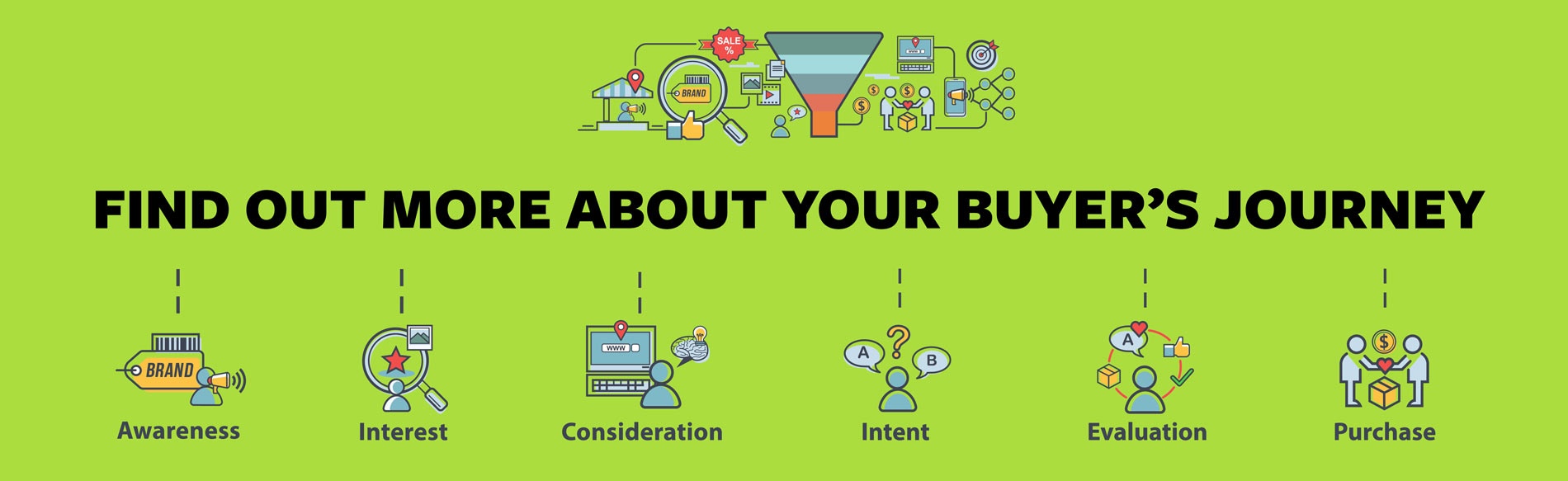
This means that when possible, businesses should be considering adding e-commerce options–options for purchasing products directly from the website–to make sure that customers can find what they’re looking for and can buy what they want easily. Having an e-commerce option lets visitors decide they want something and buy it on the spot. Without it, you could be missing out on people on the final stage of the Buyer’s Journey, the ones ready to buy now. If you have shipping options, you can also reach people across the country who would never come into your physical store. If you don’t sell online, you could be missing out from people from all over who want what you have to offer!
How to sell products online
Once you decide to start online, how do you get started? We’ve got you covered; simply follow these 9 steps to start selling products online!
Decide what items you want to sell online and choose an e-commerce platform.
Decide on and purchase an inventory management system.
Choose and purchase a payment gateway.
Build the website and integrate inventory management and payment gateway systems into your site.
Write out descriptions of all your items, take/upload images and videos, and publish them to the site.
Sort out a shipping option (if having items delivered).
Customise your checkout process to fit your ideal customers.
Preview and test your new online store and ensure that everything is working.
Refine and update your processes based on how customers buy products and use the site.
In this article, we’ll briefly cover each of the 9 steps. We’ve also covered each of these in more detail and we’ll link to the full article with more information at if you want to know more about any one of them.
1. Choose an e-commerce platform
An e-commerce platform is the place your website is built and how it is stored. Each e-commerce platform has its own ways of adding and displaying products along with advantages and limitations. Some platforms are designed specifically for certain industries or business sizes. Others are more general purpose.
The right choice for you will depend on the number and type of products you plan on selling, how comfortable you are with technology, your budget, and who you want to build your website.
Who will build your website?
For most businesses, budget is the most important factor for the website. Your budget determines who builds your website and how much money you have to invest in it. If you have a small budget but a lot of time, you’ll probably want to use a platform like Shopify. With these platforms, you choose a templated site and simply change the elements like the logo and pictures to fit your brand. These are relatively easy to use; however, you’ll be limited in customisation and features. Getting found on Google through SEO will also be more challenging without added plug-ins, most of which are on a paid subscription plan.
If you have a higher budget and want a professional to build your website for you, a custom option like WordPress with WooCommerce will be better. With these sites, your website design will be structured around your brand and how your customers use the site. This means you’ll likely have higher conversion rates and the site will feel more natural to your users. A professionally-built custom site takes longer to make but it will be unique to you.
While you might be able to try to keep track of your inventory with a notebook and a pen, it’s a lot of trouble that can be automated away with an online inventory management system. Depending on your business size, a simple database manager may do the trick, or you might need a comprehensive digital suite to make sure everything is handled properly.
Using an online inventory management keeps track of how many of each product you have left and allows you to quickly change prices for sales. Many will also automatically track sales numbers and create reports comparing month-to-month performance. A solid offering will also integrate with your in-store stock so you don’t have to try to coordinate stock manually. There on many to choose from, we’ve covered some of the best inventory management systems in NZ in a quick comparison below.
Multiple currencies, full sales and costing analysis, vehicle industry special features
Inventory Management Systems in more detail
Want to know more about inventory management systems? We cover some more of the basics about these systems and go into more detail about each of them in the above table in our article Best Inventory Management for Selling Products Online.
3. Choosing the right payment gateway
If you decide to sell products on your site, protecting sensitive customer information is one of the most important things that you can do. While website maintenance can protect some of your customer details, financial information should never be in a position to be compromised, and using a decent payment gateway makes sure hackers and data thieves shall not pass through.
There are many different payment gateways to choose from, each with different upfront and per-transaction costs. But there’s more to consider than simply cost. Some offer better service or incentives, while others aim to provide the service for the lowest cost, but have minimal customer support or extras. To help with your decision, take a look at a quick comparison of some of the best payment gateways in NZ.
Customisable checkout, API Integration, Batch Processing, Subscription Payments, Direct Bank Transfer, Phone and PDF payment options
More about payment gateways
Payment gateways can be confusing at first glance. Why exactly do you need one and what are the benefits? We cover how payment gateways work and more information about the ones we listed above in the article Best Payment Gateways for Selling Online.
4. Building the website
Once you decide to sell products online and have chosen an e-commerce platform, you need to build the website. As we mentioned above, you need to decide if you want to build the site on your own or have someone do it for you. Depending on your chosen e-commerce platform, building it on your own may not be the best choice. Platforms like Squarespace and Shopify focus on simplicity and ease of use. In contrast, WordPress offers greater versatility, but you’ll trade some user-friendliness to get it.. While this makes it more challenging for a standard user, a professional web developer has many more options with this route.
When possible, we recommend having an expert build your site. They simply have the experience and skills to ensure the site functions properly. Your site will also be up and running faster. Some website building companies also include ongoing updates like adding products or optimising for SEO. Of course the more services you choose to include, the more the site will cost. We go over basic website costs and what causes them to increase in more detail in our article How much does a website cost?
Having a professional build the site isn’t for everyone. For some, the initial investment is simply too high. Others like full control of all content on the site. If you aren’t sure which option is best for you, our article When should I hire a professional to build my website may help.
5. Product description, images, and videos
This part of the process is where many people trip up. Depending on the number of items you plan to sell, it can frankly be overwhelming to create the content for it. If you are a reseller with thousands of products for instance, how can you possibly take the time to write out a description and upload high-quality, relevant product images for each of them? Doing this for all products might seem like an endless task. Even some of the major retailers in New Zealand have trouble doing this for every product!
How to handle large inventories to sell products online
There are a few ways to overcome a large inventory to sell products online. One is by using a growth-driven design philosophy. With a traditional website building process, you’d build every page and add every product before making the site live. Then every couple of years or so, you’d do a major site upgrade such as changing the entire design.
With a growth-driven philosophy, you start out by publishing a functional website and continually improve it over time. You might start out with a limited stock of your most popular products and add more over time. This will allow people to buy online sooner, then you add more products when you can. With this method, each product can have an excellent, thorough description and high-quality images. You can even add a video demonstration when applicable too, as product demo videos are the most effective way to convince people to purchase. You can find out more about growth-driven design in our article How Growth-Driven Website Design Works.
Another option is that some inventory management systems allow you to import this information directly from suppliers. This can greatly simplify the process, especially when you have a massive inventory. While this ensures that your product information is accurate and added quickly, it will also make it the same as any of your competitors that do the same thing.
Professional content creators
Finally, you can have professional content creators help do this step for you. Professional copywriters can help give you compelling, unique descriptions and combined with product photography can help you have a consistent look, tone, and feel for your products. For some of your best products, a product demonstration video can be extremely powerful. You can also have some of your products updated by content creators while others are imported automatically.
No matter which method you decide to do, having a solid product inventory to accompany your website launch will help your customers make informed decisions and increase your sales percentages too!
6. How to handle shipping
Shipping can be extremely complicated. As a store owner, you have to do a lot of planning to make sure everything goes smoothly. New Zealand makes this even more challenging with different rates depending on the island and rural vs urban delivery. Because of this, some e-commerce sites in urban centres choose to avoid shipping altogether. However, this also greatly limits your reach to people nearby. Plus, most people expect home delivery when buying online these days.
If you do decide to have products ship, there are several things to sort out. Among these are choosing a courier company (or companies), product packaging and labelling, emails and tracking information that goes to customers, and of course the price.
Finding the sweet spot for shipping might take some time. You may not get it right when you launch the site and might need to adjust it to cover your costs. Or if it’s too high, you may need to lower it to entice customers to choose you. Many studies show that free shipping is best incentive a customer can get. But a business owner, that may not be practical or even possible if you want to make a profit.
Nobody likes long, convoluted checkout processes. Unfortunately, this is the default option for some website templates. If you have a customisable website, however, you can change this.
Ideally, you want your site to be as easy as possible to use. What makes the site easy depends on the type of customers you have and how they use your site. For instance, having something like Apple Pay on an individual product so a customer can buy a single product and complete an order on the product page might make sense. Or having an option to make an account where customers can reorder the same products with a few clicks might increase sales.
Including special business pricing or the option to pay by invoice might be ideal for B2B businesses instead. There are limitless features you could add, but choosing which ones you should add depends on who is using your site and how they are using it.
These kinds of steps can be addressed when making your business plan or when developing buyer personas. A process like a digital marketing roadmap can help you identify your actual customers and how to best reach them.
8. Testing and reviewing your site
Before you publish your site and make it live to the world, you need to make sure all the processes work as expected. For site builders, most of the functionality will be built-in. Just make sure that purchase order emails etc go to the right place and you’ll probably be good to go.
If you’ve manually connected your own inventory management and/or payment gateway systems, you’ll also want to run through various scenarios and test purchases. These systems have fake credit card details you can use to test purchases without them actually going through, so do as many as you want! Ensure that everything works as expected and all of the emails, tracking information, and everything else goes to the right person.
Once everything is all good, make your site live!
9. Updating and refining the site
The easier and more intuitive your website is to use, the more likely a potential customer is to make a purchase. A good website is like staff--and can even be your best salesperson! And like staff, a performance review can help show your website’s strengths and areas where it can improve.
Your website is an investment. While it might seem like a relief to publish it and not worry about it anymore, there’s still a lot you can do. With a data-driven approach, you review the data of your website and make changes based on what the numbers show. And with websites, there is a ton of data.
Google Analytics
With Google Analytics, you can how many people visited any page or product on your site. If you’re running Google Ads and have it connected properly you can see your cost vs revenue at a glance for all of your campaigns. Then if one isn’t performing as expected, you can adjust it until it does.
Website Audit tools
A website audit tool can help make sure your site doesn’t have errors like broken links or products with no prices. Facebook Ads has Insights to show you which ads are bringing in visitors. You can even use a tool like Hotjar that shows you an image snapshot of each page and where on the page people keep their mouse the most and what links are most clicked.
It’s a bit of work up front, but having the option to sell products online can open you up to a whole new segment of the market! So once you’ve looked through everything you need to do to sell online, then what?
First, make sure you have a business plan, especially if you’re a new business that doesn’t have a customer base. We cover some other startup items in our article Selling online – Where to Start with eCommerce? From there, if you want to build the site on your own, follow the instructions from your chosen e-commerce platform. Most of them have guided tutorials to help you get started and walk you through the essentials. If you want to have a professional build a site, many marketing agencies combine website development and ongoing marketing in one place. Our article How to choose the right marketing agency for your business can help you see what to look for when searching for your team.
Start with a plan
If you’re unsure about doing any of these steps on your own or would rather have an experienced team handle getting your store ready to sell products online for you, we can help. We recommend starting out with our guided digital marketing roadmap where we cover your goals and help you make a plan on how to achieve them. We’ve helped several stores get online, from small local businesses with a few products to working with stores with massive inventories that ship throughout the country. And we can help you too! Many of our e-commerce stores have seen their sales increase over 100% in a year.
Selling online takes planning, time, effort, and funds to get started. But it helps you bring in new customers, increase sales, and provide more value to your website visitors.




![How Much Does A Website Cost? [Video]](https://www.back9.co.nz/b9/wp-content/uploads/2020/10/OG-Image_how-much-does-a-website-cost.jpg "How Much Does a Website Cost? [VIDEO] 5")